TL;DR
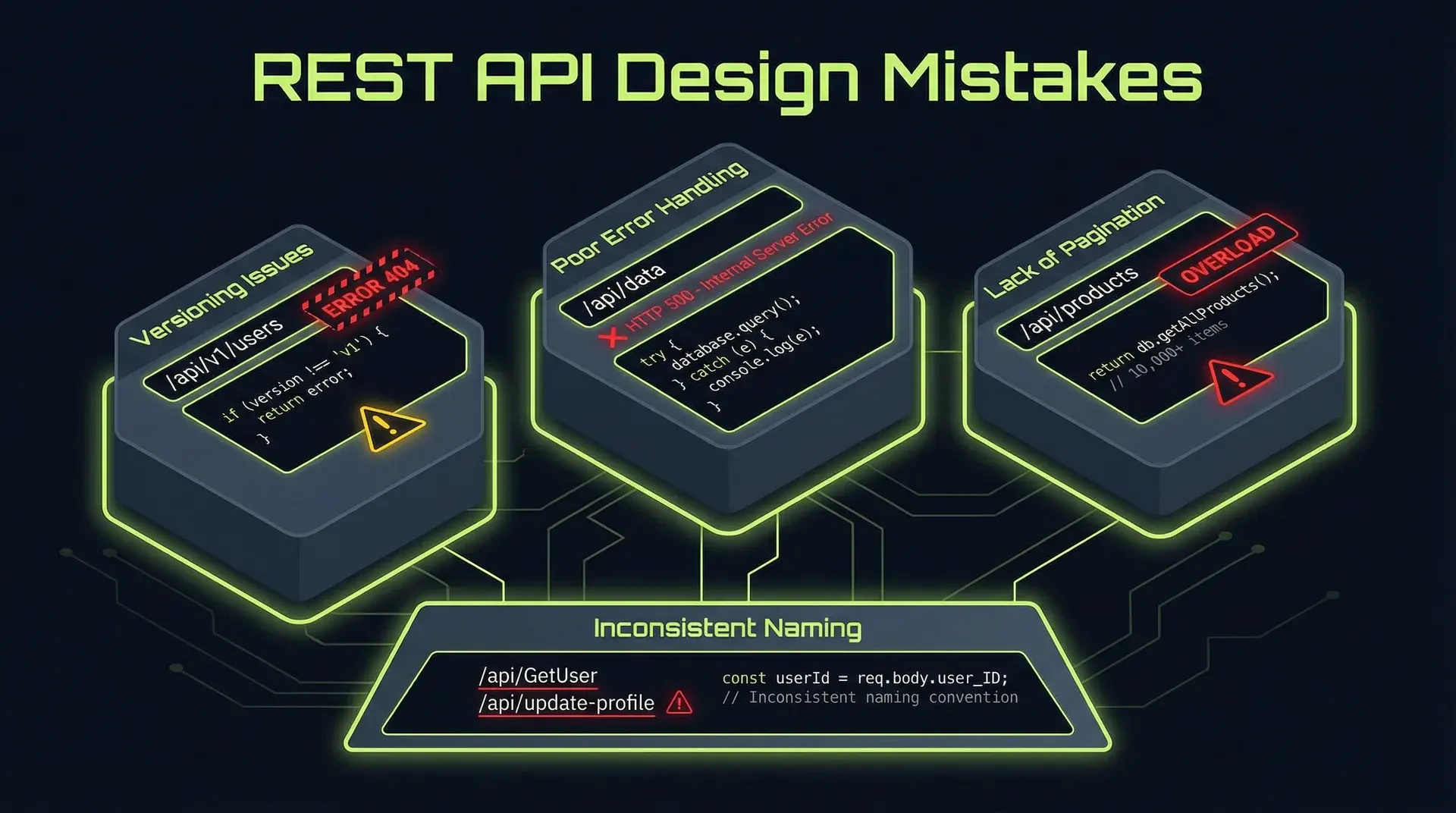
The seven deadly sins: (1) Inconsistent naming conventions across endpoints, (2) Leaking database IDs instead of using stable identifiers, (3) Missing or broken pagination, (4) Ignoring idempotency for mutating operations, (5) Poor error responses that don't help clients recover, (6) No versioning strategy until it's too late, (7) Authentication bolted on instead of designed in. Each one is a time bomb. Fix them before you have customers who depend on the broken behavior.
Part of the SaaS Architecture Decision Framework ... a comprehensive guide to architecture decisions from MVP to scale.
Why API Design Matters More Than You Think
Your API is a contract. Unlike internal code, you can't refactor it without breaking clients.
Every decision you make today becomes technical debt tomorrow... or an asset. A well-designed API is a moat. A poorly designed API is a support burden.
Across APIs from startups to enterprises, these seven mistakes appear in most of them. The earlier you fix them, the cheaper the fix.
Mistake 1: Inconsistent Naming Conventions
The most common sin. And the most avoidable.
The Problem
GET /api/users/{id}
GET /api/user-profiles/{userId}
GET /api/UserPreferences/{user_id}
GET /api/users/{id}/order_history
Four endpoints, four naming conventions. Clients have to memorize arbitrary patterns instead of learning a system.
Why It Happens
Different engineers, different days, different conventions. No style guide. No review process.
The Fix
Pick a convention. Enforce it.
# Consistent: plural nouns, kebab-case, nested resources
GET /api/users/{id}
GET /api/users/{id}/profile
GET /api/users/{id}/preferences
GET /api/users/{id}/orders
Rules to adopt:
- Plural nouns for collections:
/users, not/user - Kebab-case for multi-word:
/order-items, not/orderItemsor/order_items - Nested resources for relationships:
/users/{id}/orders, not/user-orders - No verbs in endpoints:
/users/{id}/activate→POST /users/{id}/activation
Document it. Put it in your API style guide. Enforce it in code review.
The Cost of Not Fixing
Every new endpoint adds to the inconsistency. Documentation becomes a maze. New engineers learn bad patterns. Clients curse your name.
Mistake 2: Leaking Database IDs
Using auto-increment IDs or internal identifiers in your public API is a security and scaling time bomb.
The Problem
GET /api/orders/1
GET /api/orders/2
GET /api/orders/3
An attacker can enumerate all orders by incrementing the ID. They know exactly how many orders you have. They can scrape your entire database.
Why It Happens
It's the path of least resistance. The database generates IDs. You expose them directly.
The Fix
Use UUIDs or opaque identifiers.
// Database model
interface Order {
  id: number;           // Internal, never exposed
  publicId: string;     // UUID or nanoid, exposed in API
  // ...
}

// API response
{
  "id": "ord_a1b2c3d4e5f6",  // Opaque, unpredictable
  "status": "shipped"
}
Better yet, use prefixed IDs:
ord_a1b2c3d4e5f6   # Order
usr_g7h8i9j0k1l2   # User
inv_m3n4o5p6q7r8   # Invoice
Prefixes make debugging easier. You know what kind of resource an ID refers to without context.
Implementation with nanoid:
import { customAlphabet } from "nanoid";

const generateId = customAlphabet("0123456789abcdefghijklmnopqrstuvwxyz", 16);

function createOrderId(): string {
	return `ord_${generateId()}`;
}
The Cost of Not Fixing
- Security: Enumeration attacks expose your data
- Scaling: Migrating databases breaks client integrations
- Mergers: Combining databases causes ID collisions
- Multi-region: Distributed ID generation conflicts
Mistake 3: Missing or Broken Pagination
The API that returns all results is a ticking time bomb.
The Problem
GET /api/orders
// Returns ALL 50,000 orders
// Response time: 45 seconds
// Memory usage: crashes the server
Or worse:
GET /api/orders?page=1&limit=20
// Works fine

GET /api/orders?page=2500&limit=20
// Returns wrong results because new orders were added
Why It Happens
"We only have 100 orders" → famous last words.
Offset pagination is easy to implement but breaks with large datasets.
The Fix
Use cursor-based pagination from day one.
// Request
GET /api/orders?limit=20&cursor=ord_a1b2c3

// Response
{
  "data": [...],
  "pagination": {
    "limit": 20,
    "next_cursor": "ord_x9y8z7",
    "has_more": true
  }
}
Implementation:
async function getOrders(cursor?: string, limit = 20) {
	const where = cursor
		? { publicId: { gt: cursor } } // Fetch after cursor
		: {};

	const orders = await prisma.order.findMany({
		where,
		orderBy: { publicId: "asc" },
		take: limit + 1, // Fetch one extra to detect "has_more"
	});

	const hasMore = orders.length > limit;
	const data = hasMore ? orders.slice(0, -1) : orders;

	return {
		data,
		pagination: {
			limit,
			next_cursor: data.at(-1)?.publicId ?? null,
			has_more: hasMore,
		},
	};
}
Cursor queries also play better with the indexes you've already built for database query optimization... the ordering column becomes a natural seek target instead of a LIMIT/OFFSET scan.
Why cursor pagination wins:
- Consistent results even when data changes
- O(1) performance regardless of page number
- Works with any sorted column (not just ID)
- Clients can't jump to arbitrary pages (feature, not bug)
The Cost of Not Fixing
- Timeouts on large datasets
- Inconsistent results frustrating clients
- Server crashes under load
- Expensive migrations when you finally fix it
Mistake 4: Ignoring Idempotency
Non-idempotent operations cause duplicate charges, duplicate orders, and support tickets.
The Problem
POST /api/orders
// Client sends request
// Server processes, creates order
// Network timeout before response reaches client
// Client retries
// Server creates ANOTHER order
// Customer charged twice
Why It Happens
Developers think about the happy path. Networks are not happy.
The Fix
Require idempotency keys for mutating operations.
// Request
POST /api/orders
Idempotency-Key: 550e8400-e29b-41d4-a716-446655440000

// Server stores result keyed by idempotency key
// Subsequent requests with same key return cached result
Implementation:
async function createOrder(data: CreateOrderInput, idempotencyKey: string): Promise<Order> {
	// Check if we've seen this key before
	const existing = await redis.get(`idempotency:${idempotencyKey}`);
	if (existing) {
		return JSON.parse(existing);
	}

	// Process the order
	const order = await prisma.$transaction(async (tx) => {
		// Create order logic...
		return order;
	});

	// Store result for 24 hours
	await redis.setex(`idempotency:${idempotencyKey}`, 86400, JSON.stringify(order));

	return order;
}
Rules:
- Require
Idempotency-Keyheader for all POST/PUT/PATCH - Return 400 if header missing
- Cache results for 24-48 hours
- Same key + same body = same result
- Same key + different body = error (clients shouldn't reuse keys)
Idempotency is the synchronous cousin of event-driven architecture... once you're running async workflows, every consumer needs idempotent handlers for the same reason HTTP retries need them.
The Cost of Not Fixing
- Duplicate charges → chargebacks → angry customers → support tickets
- Duplicate records → data inconsistency → debugging hell
- Client-side workarounds → fragile integrations → your problem
Mistake 5: Poor Error Responses
"An error occurred" helps no one.
The Problem
// Unhelpful
{ "error": "Bad request" }

// Also unhelpful
{ "error": "Validation failed" }

// Actively harmful
{ "error": "NullPointerException at line 247" }
Why It Happens
Error handling is an afterthought. Developers see errors in logs and forget clients only see the response.
The Fix
Structured, actionable error responses.
{
	"error": {
		"code": "VALIDATION_ERROR",
		"message": "Request validation failed",
		"details": [
			{
				"field": "email",
				"code": "INVALID_FORMAT",
				"message": "Email must be a valid email address"
			},
			{
				"field": "amount",
				"code": "OUT_OF_RANGE",
				"message": "Amount must be between 1 and 999999",
				"meta": {
					"min": 1,
					"max": 999999,
					"provided": 0
				}
			}
		]
	},
	"request_id": "req_abc123"
}
Error response schema:
interface ErrorResponse {
	error: {
		code: string; // Machine-readable, stable
		message: string; // Human-readable, can change
		details?: ErrorDetail[];
	};
	request_id: string; // For support/debugging
}

interface ErrorDetail {
	field?: string; // Which field caused the error
	code: string; // Specific error code
	message: string; // Human-readable explanation
	meta?: Record<string, unknown>; // Additional context
}
Standard error codes:
| HTTP Status | Error Code | When to Use |
|---|---|---|
| 400 | VALIDATION_ERROR | Request body invalid |
| 400 | INVALID_PARAMETER | Query param invalid |
| 401 | AUTHENTICATION_REQUIRED | No auth provided |
| 401 | INVALID_CREDENTIALS | Bad auth |
| 403 | PERMISSION_DENIED | Auth valid, not authorized |
| 404 | RESOURCE_NOT_FOUND | Resource doesn't exist |
| 409 | CONFLICT | State conflict (duplicate) |
| 422 | BUSINESS_RULE_VIOLATION | Valid request, business logic prevents |
| 429 | RATE_LIMIT_EXCEEDED | Too many requests |
| 500 | INTERNAL_ERROR | Unexpected server error |
The Cost of Not Fixing
- Support tickets asking "what does 'Bad request' mean?"
- Client developers building brittle string-matching error handling
- Inconsistent errors across endpoints
- Security leaks from stack traces
Mistake 6: No Versioning Strategy
"We'll add versioning when we need it" → "We need breaking changes but 500 clients depend on the current behavior"
The Problem
You ship v1. Clients integrate. You need to change the response format. Now what?
Why It Happens
Versioning seems like over-engineering for a new API. Until it isn't.
The Fix
Version from day one. Pick a strategy and stick with it.
Option A: URL versioning (recommended for most)
GET /api/v1/users
GET /api/v2/users
Pros: Explicit, easy to understand, easy to route Cons: Duplicates routes
Option B: Header versioning
GET /api/users
Accept: application/vnd.myapi.v1+json
Pros: Clean URLs Cons: Hidden, easy to forget, harder to test
Option C: Query parameter
GET /api/users?version=1Pros: Explicit Cons: Pollutes query string, caching complications
My recommendation: URL versioning. It's explicit, documented in the URL, and impossible to forget.
Versioning rules:
- Major versions only: v1, v2, v3 (not v1.1)
- Support two versions: Current and previous
- 18-month deprecation window: Announce, wait, remove
- Sunset header:
Sunset: Sat, 31 Dec 2025 23:59:59 GMT
The Cost of Not Fixing
- Breaking changes break clients
- Supporting multiple undocumented versions
- Fear of changing anything
- Technical debt that never gets paid
Mistake 7: Authentication Bolted On
Authentication designed as an afterthought creates security holes and bad developer experience.
The Problem
// Endpoint A
GET /api/users
Authorization: Bearer {token}

// Endpoint B
GET /api/orders?api_key={key}

// Endpoint C
GET /api/products
X-API-Key: {key}

// Endpoint D
GET /api/analytics
// No auth required (oops)
Why It Happens
Different endpoints added by different people at different times. No consistent auth strategy.
The Fix
Design authentication first, not last.
Standard approach: Bearer tokens in Authorization header
Authorization: Bearer {token}For webhooks and server-to-server: API keys with signature
X-API-Key: {key_id}
X-Signature: {hmac_signature}
X-Timestamp: {unix_timestamp}
Implementation pattern:
// Middleware that runs on ALL routes
async function authMiddleware(req, res, next) {
	// Extract token
	const authHeader = req.headers.authorization;
	if (!authHeader?.startsWith("Bearer ")) {
		return res.status(401).json({
			error: {
				code: "AUTHENTICATION_REQUIRED",
				message: "Authorization header required",
			},
		});
	}

	const token = authHeader.slice(7);

	// Validate token
	try {
		const payload = await validateToken(token);
		req.user = payload;
		req.scopes = payload.scopes;
		next();
	} catch (err) {
		return res.status(401).json({
			error: {
				code: "INVALID_CREDENTIALS",
				message: "Token invalid or expired",
			},
		});
	}
}

// Scope-based authorization
function requireScope(scope: string) {
	return (req, res, next) => {
		if (!req.scopes?.includes(scope)) {
			return res.status(403).json({
				error: {
					code: "PERMISSION_DENIED",
					message: `Requires scope: ${scope}`,
				},
			});
		}
		next();
	};
}

// Usage
app.get("/api/users", requireScope("users:read"), getUsers);
app.post("/api/users", requireScope("users:write"), createUser);
Auth checklist:
- Every endpoint requires auth (whitelist exceptions)
- Consistent auth mechanism across all endpoints
- Scopes/permissions for fine-grained access
- Rate limiting per API key
- Audit logging of all auth events
- Token rotation and revocation support
The Cost of Not Fixing
- Security vulnerabilities from unprotected endpoints
- Inconsistent auth confuses clients
- No audit trail for security incidents
- Difficult to implement rate limiting or usage tracking
The API Design Checklist
Before shipping any API:
Consistency
- Naming conventions documented and enforced
- All endpoints follow the same patterns
- Error responses structured identically
Stability
- No database IDs exposed
- Versioning strategy in place
- Pagination cursor-based
Reliability
- Idempotency keys for mutating operations
- Rate limiting implemented
- Retry guidance in documentation
Security
- Authentication on all endpoints (explicit exceptions)
- Authorization (scopes/permissions) enforced
- No sensitive data in URLs
Developer Experience
- Error responses are actionable
- OpenAPI/Swagger documentation
- Example requests and responses
- Changelog for breaking changes
When to Fix These
Before launch: All of them. The migration cost is zero when you have zero clients.
After launch with few clients: Fix them now. Coordinate with clients. The pain is manageable.
After launch with many clients: Fix them in v2. Support v1 with deprecation timeline. Accept that some clients will never migrate.
The longer you wait, the more expensive the fix. Every day, more clients depend on your current (broken) behavior.
Building an API and want to get it right the first time? I help startups design APIs that scale... consistent, secure, and developer-friendly from day one. Whether you're starting fresh or fixing an existing API, I can help you avoid the mistakes that haunt teams at scale.
This is part of a series on building production systems. Related: Multi-Tenancy Done Right: A Prisma & RLS Deep Dive covers database design that supports API best practices.