TL;DR
Schema-per-tenant breaks at 200-300 tenants (Prisma limitation). Database-per-tenant costs $50-100+/month per tenant. Shared tables + Row-Level Security scales indefinitely with negligible overhead. RLS from day one prevents the painful migration later. Pattern: Set app.current_tenant_id per-transaction, let Postgres enforce isolation at the query planner level.
Part of the SaaS Architecture Decision Framework ... a comprehensive guide to architecture decisions from MVP to scale.
The Three Isolation Models
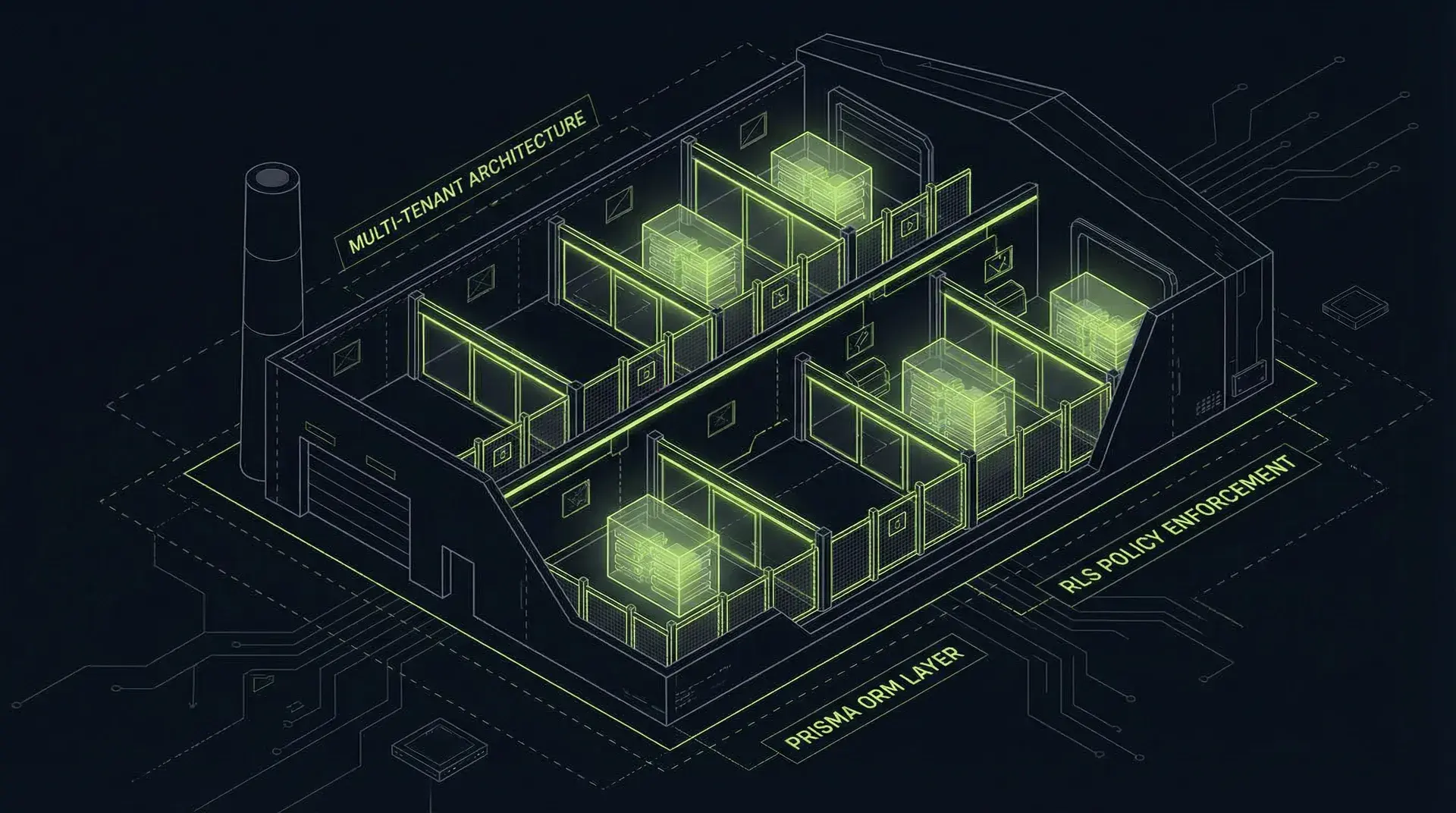
Multi-tenant architecture comes in three flavors, each with distinct trade-offs.
Silo Model: Database Per Tenant
Each tenant gets their own PostgreSQL database.
Advantages:
- Maximum isolation... one tenant's data cannot possibly leak to another
- Per-tenant backup and restore
- Independent scaling
- Easy regulatory compliance (data residency)
Disadvantages:
- Cost: $50-100+/month per tenant minimum (managed Postgres)
- Operational complexity: Thousands of databases to manage
- Connection pool explosion
- Cross-tenant queries impossible
- Schema migrations must run N times
When to use: Enterprise customers who require it contractually, or regulated industries where physical isolation is mandated.
Bridge Model: Schema Per Tenant
Single database, separate PostgreSQL schemas per tenant.
Advantages:
- Good isolation (schema boundaries)
- Simpler than database-per-tenant
- Cross-tenant queries possible with schema qualification
Disadvantages:
- Prisma generates one client per schema... breaks at 200-300 tenants
- Schema migrations must still run per-tenant
- Connection pooling complications
- Doesn't scale for B2C with thousands of tenants
When to use: B2B with fewer than 100 enterprise tenants, where you want logical separation without database-per-tenant costs.
Pool Model: Shared Tables + RLS
Single database, single schema, tenant_id column on all tables, Row-Level Security enforcing isolation.
Advantages:
- Scales to unlimited tenants
- One schema migration affects everyone
- Simple connection pooling
- Lowest operational overhead
- Standard Prisma patterns
Disadvantages:
- Requires careful implementation (forgetting RLS on a table is a breach)
- All tenants share compute resources
- Cross-tenant queries require superuser access
When to use: Most SaaS applications. This is the correct default for 95% of cases.
Row-Level Security Internals
RLS isn't a post-filter. It's integrated into the query planner.
How It Actually Works
When you enable RLS on a table and create a policy, PostgreSQL modifies every query against that table before execution:
-- Your query
SELECT * FROM orders WHERE status = 'pending';

-- What PostgreSQL actually executes
SELECT * FROM orders
WHERE status = 'pending'
  AND tenant_id = current_setting('app.current_tenant_id');
The tenant filter is added at the query planner level. Rows that don't match the policy are never read from disk... they're not filtered out after the fact.
Creating RLS Policies
-- Enable RLS on the table
ALTER TABLE orders ENABLE ROW LEVEL SECURITY;

-- Force RLS even for table owner (important!)
ALTER TABLE orders FORCE ROW LEVEL SECURITY;

-- Create the policy
CREATE POLICY tenant_isolation ON orders
  USING (tenant_id = current_setting('app.current_tenant_id')::uuid);

-- Separate policies for INSERT if tenant_id should be auto-set
CREATE POLICY tenant_insert ON orders
  FOR INSERT
  WITH CHECK (tenant_id = current_setting('app.current_tenant_id')::uuid);
Permissive vs Restrictive Policies
PostgreSQL RLS uses two types of policies:
PERMISSIVE (default): Multiple permissive policies OR together. Any matching policy grants access.
RESTRICTIVE: All restrictive policies must pass. They AND together.
For multi-tenancy, you typically want:
- A restrictive tenant isolation policy (must always match)
- Optional permissive policies for row-level access control within the tenant
-- Restrictive: Must ALWAYS match
CREATE POLICY tenant_isolation ON orders
  AS RESTRICTIVE
  USING (tenant_id = current_setting('app.current_tenant_id')::uuid);

-- Permissive: Additional role-based filtering within tenant
CREATE POLICY admin_sees_all ON orders
  AS PERMISSIVE
  USING (
    current_setting('app.current_user_role') = 'admin'
    OR created_by = current_setting('app.current_user_id')::uuid
);The Session Variable Pattern
RLS policies reference current_setting('app.current_tenant_id'). This is a session variable you set at connection time.
Setting the Variable
-- Set for the current transaction
SELECT set_config('app.current_tenant_id', '123e4567-e89b-...', true);

-- Or using SET LOCAL (same effect)
SET LOCAL app.current_tenant_id = '123e4567-e89b-...';
The true parameter makes it transaction-local... it resets when the transaction ends. This is crucial for connection pooling.
PgBouncer Transaction Mode Compatibility
PgBouncer in transaction mode reuses connections across different clients. Session variables would leak between requests.
Solution: Set the variable within each transaction:
BEGIN;
SELECT set_config('app.current_tenant_id', $1, true);
-- Your queries here
COMMIT;
The variable is scoped to the transaction. When the transaction ends, the connection is clean for the next user.
Prisma Integration Patterns
Prisma doesn't have native RLS support, but you can implement it cleanly with Client Extensions.
The getTenantClient Pattern
import { PrismaClient } from "@prisma/client";

const prisma = new PrismaClient();

export function getTenantClient(tenantId: string) {
	return prisma.$extends({
		query: {
			$allModels: {
				async $allOperations({ args, query }) {
					const [, result] = await prisma.$transaction([
						prisma.$executeRaw`SELECT set_config('app.current_tenant_id', ${tenantId}, true)`,
						query(args),
					]);
					return result;
				},
			},
		},
	});
}

// Usage in your API handler
export async function GET(request: Request) {
	const tenantId = getTenantIdFromRequest(request);
	const db = getTenantClient(tenantId);

	const orders = await db.order.findMany({
		where: { status: "pending" },
	});

	return Response.json(orders);
}
Every query runs inside a transaction that first sets the tenant context. The RLS policy enforces isolation.
CRITICAL: The Interactive Transaction Bug
There's a known issue with Prisma interactive transactions and RLS (GitHub #23583). The set_config runs outside the interactive transaction context:
// BROKEN - tenant context not visible inside $transaction callback
const db = getTenantClient(tenantId);

await db.$transaction(async (tx) => {
	// These queries DON'T see the tenant_id setting!
	const order = await tx.order.findUnique({ where: { id } });
	await tx.order.update({ where: { id }, data: { status: "shipped" } });
});Solution: Set context explicitly inside the transaction:
await prisma.$transaction(async (tx) => {
	// Set context INSIDE the transaction
	await tx.$executeRaw`SELECT set_config('app.current_tenant_id', ${tenantId}, true)`;

	// Now these queries work correctly
	const order = await tx.order.findUnique({ where: { id } });
	await tx.order.update({ where: { id }, data: { status: "shipped" } });
});
This is the most common RLS + Prisma bug. Test your interactive transactions explicitly.
Performance Engineering
RLS overhead is negligible with proper indexing. The tenant filter becomes part of the query plan, not a post-filter.
Tenant-Leading Composite Indices
The most important optimization: put tenant_id first in composite indices.
-- CORRECT: tenant_id leads
CREATE INDEX idx_orders_tenant_status ON orders(tenant_id, status);
CREATE INDEX idx_orders_tenant_created ON orders(tenant_id, created_at DESC);

-- WRONG: tenant_id second
CREATE INDEX idx_orders_status_tenant ON orders(status, tenant_id);
Why? PostgreSQL B-tree indices work left-to-right. With tenant_id first, the index immediately narrows to rows for one tenant, then filters by the second column.
With tenant_id second, the index scans all rows matching the first column, then filters by tenant. Much less efficient.
Explicit WHERE + RLS (Belt and Suspenders)
Even with RLS, include tenant_id in your WHERE clauses:
// The RLS policy will add tenant_id anyway
// But being explicit helps the query planner and documents intent
const order = await db.order.findUnique({
	where: {
		id: orderId,
		tenant_id: tenantId, // Explicit despite RLS
	},
});
This is redundant from a security perspective (RLS enforces it), but:
- Makes the intent clear to future developers
- Helps the query planner use the optimal index
- Provides defense in depth if RLS is misconfigured
Query Planner Verification
Verify your queries use the indices you expect:
EXPLAIN ANALYZE
SELECT * FROM orders
WHERE status = 'pending';

-- With RLS enabled, you should see something like:
-- Index Scan using idx_orders_tenant_status on orders
--   Index Cond: (tenant_id = '...' AND status = 'pending')
If you see Seq Scan instead of Index Scan, your indices aren't being used.
Connection Pooling at Scale
At scale, connection pooling becomes critical. Each PostgreSQL connection consumes ~10MB of memory. A few thousand concurrent requests would exhaust a typical Postgres instance.
Supavisor
Supabase's pooler, designed for massive scale:
- Handles 1M+ connections
- Session, transaction, and statement modes
- Compatible with RLS pattern (transaction mode)
- Regional deployment for edge workloads
PgBouncer
The traditional choice:
- Transaction mode required for RLS
- Lightweight, battle-tested
- Self-hosted or managed
Prisma Accelerate
Prisma's managed connection pooler:
- Global edge caching (careful with tenant data!)
- Connection pooling built-in
- Works with the tenant client pattern
Warning about caching: If you use Prisma Accelerate's query caching, be extremely careful with tenant isolation. A cached query for Tenant A could be served to Tenant B. Either disable caching for tenant-scoped queries or include tenant_id in the cache key.
Testing RLS with pgTAP
Don't trust your RLS policies... verify them with database unit tests.
Setting Up pgTAP
CREATE EXTENSION IF NOT EXISTS pgtap;Testing Tenant Isolation
-- Test: Tenant A cannot see Tenant B's data
BEGIN;
SELECT plan(3);

-- Setup: Create test tenants
INSERT INTO tenants (id, name) VALUES
  ('aaaaaaaa-aaaa-aaaa-aaaa-aaaaaaaaaaaa', 'Tenant A'),
  ('bbbbbbbb-bbbb-bbbb-bbbb-bbbbbbbbbbbb', 'Tenant B');

-- Setup: Create orders for each tenant
INSERT INTO orders (id, tenant_id, status) VALUES
  ('11111111-1111-1111-1111-111111111111', 'aaaaaaaa-...', 'pending'),
  ('22222222-2222-2222-2222-222222222222', 'bbbbbbbb-...', 'pending');

-- Test as Tenant A
SELECT set_config('app.current_tenant_id', 'aaaaaaaa-...', true);

-- Should see exactly 1 order
SELECT is(
  (SELECT COUNT(*) FROM orders),
  1::bigint,
  'Tenant A sees only their own orders'
);

-- Should see their specific order
SELECT ok(
  EXISTS(SELECT 1 FROM orders WHERE id = '11111111-...'),
  'Tenant A can access their order'
);

-- Should NOT see Tenant B's order
SELECT ok(
  NOT EXISTS(SELECT 1 FROM orders WHERE id = '22222222-...'),
  'Tenant A cannot access Tenant B order'
);

SELECT * FROM finish();
ROLLBACK;
Run these tests in CI. Every schema change should verify RLS still works.
Testing Policy Bypass Attempts
-- Test: Direct ID access doesn't bypass RLS
SELECT set_config('app.current_tenant_id', 'aaaaaaaa-...', true);

SELECT is(
  (SELECT id FROM orders WHERE id = '22222222-...'),
  NULL,
  'Direct ID access to other tenant order returns NULL'
);

-- Test: JOIN doesn't bypass RLS
SELECT is(
  (SELECT COUNT(*) FROM orders o JOIN order_items oi ON o.id = oi.order_id
   WHERE oi.order_id = '22222222-...'),
  0::bigint,
  'JOIN access to other tenant returns 0 rows'
);Compliance Considerations
SOC 2 CC6.1
SOC 2 requires logical access controls for data segregation. RLS provides database-enforced tenant isolation that auditors can verify:
- Policies are defined in SQL (auditable)
- Cannot be bypassed by application code bugs
- Visible in query plans (verifiable)
Document your RLS policies as a control. Point auditors to the policy definitions and pgTAP tests.
GDPR Data Isolation
GDPR requires personal data to be accessible only to authorized parties. RLS enforces this at the database layer:
- Data access requests can be scoped to a single tenant
- Right to deletion is isolated to one tenant's data
- Cross-tenant data access is structurally prevented
Audit Logging
RLS doesn't log access by itself. Add audit triggers if you need to demonstrate who accessed what:
CREATE TABLE audit_log (
  id uuid PRIMARY KEY DEFAULT gen_random_uuid(),
  tenant_id uuid NOT NULL,
  table_name text NOT NULL,
  operation text NOT NULL,
  row_id uuid,
  user_id uuid,
  timestamp timestamptz DEFAULT NOW()
);

CREATE FUNCTION log_access() RETURNS trigger AS $$
BEGIN
  INSERT INTO audit_log (tenant_id, table_name, operation, row_id, user_id)
  VALUES (
    current_setting('app.current_tenant_id')::uuid,
    TG_TABLE_NAME,
    TG_OP,
    CASE WHEN TG_OP = 'DELETE' THEN OLD.id ELSE NEW.id END,
    current_setting('app.current_user_id', true)::uuid
  );
  RETURN NEW;
END;
$$ LANGUAGE plpgsql;

CREATE TRIGGER orders_audit
  AFTER INSERT OR UPDATE OR DELETE ON orders
FOR EACH ROW EXECUTE FUNCTION log_access();Migration from Schema-Per-Tenant
If you started with schema-per-tenant and hit the 200-300 schema limit, here's the migration path.
Phase 1: Add tenant_id to Pool Schema
Create a new "pool" schema with tenant_id columns:
CREATE SCHEMA pool;

CREATE TABLE pool.orders (
  id uuid PRIMARY KEY,
  tenant_id uuid NOT NULL REFERENCES pool.tenants(id),
  -- ... other columns
);

-- Enable RLS
ALTER TABLE pool.orders ENABLE ROW LEVEL SECURITY;
ALTER TABLE pool.orders FORCE ROW LEVEL SECURITY;

CREATE POLICY tenant_isolation ON pool.orders
  USING (tenant_id = current_setting('app.current_tenant_id')::uuid);

-- Index with tenant_id leading
CREATE INDEX idx_orders_tenant ON pool.orders(tenant_id, created_at DESC);
Phase 2: Dual-Write Period
Application writes to both old schema and new pool schema:
async function createOrder(tenantId: string, data: OrderData) {
	// Write to legacy schema
	await legacyDb.order.create({ data });

	// Write to pool schema
	await poolDb.order.create({
		data: { ...data, tenant_id: tenantId },
	});
}
Phase 3: Backfill Historical Data
Migrate existing data from per-tenant schemas to the pool:
-- For each tenant schema
INSERT INTO pool.orders (id, tenant_id, ...)
SELECT id, 'tenant-uuid-here', ...
FROM tenant_abc.orders;
Phase 4: Switch Reads
Point reads to the pool schema. Verify data integrity.
Phase 5: Remove Writes to Legacy
Stop dual-writing. The pool is now the source of truth.
Phase 6: Archive Legacy Schemas
Drop or archive the old per-tenant schemas.
This migration takes weeks to months depending on data volume. Plan carefully.
The Complete Setup Checklist
Schema Setup
- All tenant-scoped tables have
tenant_id uuid NOT NULL - Foreign key to tenants table
- RLS enabled and forced on all tenant tables
- Policies using
current_setting('app.current_tenant_id')
Indices
- Composite indices lead with tenant_id
- Indices exist for common query patterns
- EXPLAIN ANALYZE verified Index Scan usage
Application
- getTenantClient pattern implemented
- Interactive transactions set context explicitly
- Tenant ID extracted from auth layer (JWT, session)
- No way to call database without tenant context
Connection Pooling
- Transaction mode pooler configured (PgBouncer, Supavisor)
- Connection limits appropriate for expected concurrency
- Caching policies reviewed for tenant safety
Testing
- pgTAP tests for RLS policies
- Tests run in CI on every schema change
- Negative tests (cannot access other tenants)
- Edge cases (no tenant context, invalid tenant)
Compliance
- RLS policies documented for auditors
- Audit logging if required
- Data access logging if required
Conclusion
RLS isn't just a security feature. It's an architectural pattern that:
- Simplifies application code: No need to add tenant filters to every query
- Provides defense in depth: Even if application code is buggy, the database enforces isolation
- Scales indefinitely: No schema-per-tenant limitations
- Aids compliance: Auditable, database-enforced access controls
The migration from schema-per-tenant to pool model is painful. The migration from pool model to database-per-tenant (if you ever need it) is straightforward... just add a router that directs tenants to different databases.
Start with RLS. You can always scale up to more isolation. Scaling down from schema-per-tenant is the hard direction.
Need help implementing multi-tenant architecture? I specialize in building SaaS platforms with bulletproof tenant isolation from day one. Whether you're starting fresh or migrating from schema-per-tenant, I can help you get it right.
Continue Reading
This post is part of the SaaS Architecture Decision Framework ... covering multi-tenancy, deployment models, database scaling, and cost optimization from MVP to $1M ARR.
More in This Series
- Zero to 10K MRR SaaS Playbook ... Early-stage architecture
- Boring Technology Wins ... Technology selection philosophy
- Database Query Optimization ... From N+1 to optimal
Ready to make better architecture decisions? Work with me on your SaaS architecture.