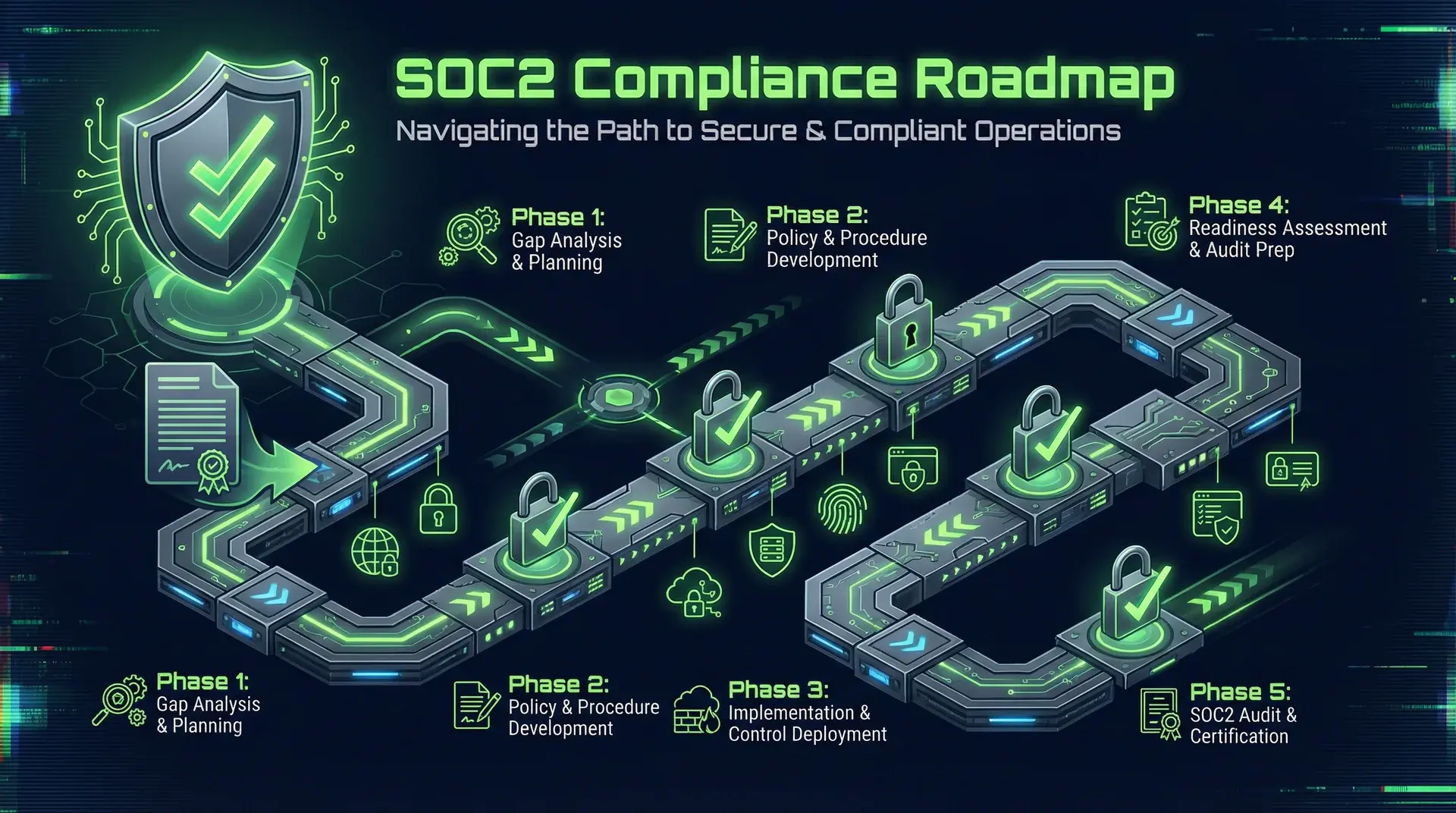
TL;DR
SOC 2 Type I in 90 days is achievable for seed-stage startups. The secret: automate evidence collection from day one, pick a compliance platform that does 80% of the work, and focus on the five Trust Service Criteria that actually matter. Skip the $200K consulting engagement. Total cost: ~$15-25K for platform + auditor. Engineering time: 2-4 weeks of focused effort.
Part of the SaaS Architecture Decision Framework ... a comprehensive guide to architecture decisions from MVP to scale.
Why SOC 2 Now
Enterprise sales pipelines die in security questionnaires. A great product can still lose a six-figure deal because the answer to "Are you SOC 2 compliant?" isn't yes.
The math is simple:
- Average enterprise deal: $50-200K ARR
- Average security questionnaire: 300-500 questions
- Time to answer without SOC 2: 20-40 hours per questionnaire
- Time to answer with SOC 2: "Here's our report" (5 minutes)
More importantly, completing SOC 2 forces you to build security infrastructure you'll need anyway. The compliance deadline becomes the accountability mechanism for doing things right.
Type I vs Type II: Start with Type I
Type I: Point-in-time assessment. "Your controls exist as of this date."
Type II: Period assessment. "Your controls existed and operated effectively over 3-12 months."
Start with Type I. It proves you have controls in place. You can pursue Type II afterward with a 3-month observation window.
Enterprise buyers accept Type I reports, especially from startups. The conversation is: "We have Type I, Type II in progress, report expected [date]."
The Five Trust Service Criteria
SOC 2 has five categories. You only need Security for Type I. Add others if customers require them.
Security (Required)
The foundation. Covers:
- Access control
- System operations
- Change management
- Risk mitigation
This is the one you must get right. The others are optional.
Availability (Optional)
Uptime commitments. Add this if you have SLAs in customer contracts.
Covers:
- System monitoring
- Incident response
- Disaster recovery
- Capacity planning
Processing Integrity (Rare)
Data processing accuracy. Only needed if you process financial transactions or sensitive calculations.
Confidentiality (Common)
Data protection beyond security. Add if you handle trade secrets, financial data, or other confidential customer information.
Privacy (Situational)
Personal data handling. Overlaps with GDPR. Add if you process PII extensively.
Recommendation for seed-stage: Start with Security + Availability. Add Confidentiality if handling sensitive data. Skip Processing Integrity and Privacy unless required.
The 90-Day Roadmap
Weeks 1-2: Platform Selection and Gap Assessment
Day 1-3: Choose a compliance platform
Don't do this manually. The platforms automate evidence collection, policy generation, and auditor coordination.
| Platform | Starting Price | Strengths |
|---|---|---|
| Vanta | ~$10K/year | Best integrations, fast setup |
| Drata | ~$12K/year | Strong automation, good UI |
| Secureframe | ~$8K/year | Cost-effective, solid features |
| Laika | ~$15K/year | Enterprise-focused |
Vanta and Drata both integrate with AWS, GCP, GitHub, and major SaaS tools. They pull evidence automatically... no manual screenshot collection.
Day 4-7: Connect integrations
Wire up your infrastructure:
- Cloud provider (AWS, GCP, Azure)
- Version control (GitHub, GitLab)
- Identity provider (Okta, Google Workspace)
- HR system (Gusto, Rippling)
- Endpoint management (Jamf, Kandji)
- Monitoring (Datadog, PagerDuty)
The platform scans your environment and identifies gaps.
Day 8-14: Review gap report
The platform generates a gap assessment. Typical findings for startups:
- No formal access reviews
- No background checks policy
- No security awareness training
- No documented incident response
- No encryption at rest (or not enforced)
- No MFA on all systems
Prioritize by effort vs. impact. Some fixes are one-click. Others require engineering work.
Weeks 3-6: Control Implementation
Access Control
// Example: Role-based access with audit logging
interface AccessRequest {
	userId: string;
	resource: string;
	action: "read" | "write" | "delete";
	timestamp: Date;
	granted: boolean;
	reason?: string;
}

async function checkAccess(request: AccessRequest): Promise<boolean> {
	const user = await getUser(request.userId);
	const permissions = await getPermissions(user.role);

	const granted = permissions.includes(`${request.resource}:${request.action}`);

	// Log every access decision for audit trail
	await logAccessDecision({
		...request,
		granted,
		userRole: user.role,
	});

	return granted;
}
Key requirements:
- Unique user accounts: No shared credentials
- MFA everywhere: All production systems, all admin access
- Principle of least privilege: Start with no access, add as needed
- Access reviews: Quarterly review of who has access to what
- Offboarding procedure: Revoke access within 24 hours of termination
Access control at the database layer is where most startups get this wrong. The patterns in multi-tenancy with Prisma and RLS satisfy the SOC 2 access-control criteria at the row level... which is what auditors actually test when they sample your data isolation.
Encryption
- At rest: Enable encryption on all databases, object storage, backups
- In transit: TLS 1.2+ everywhere, no exceptions
- Key management: Use cloud KMS, rotate annually
For AWS:
# Enable default encryption on S3
aws s3api put-bucket-encryption \
  --bucket my-bucket \
  --server-side-encryption-configuration '{"Rules":[{"ApplyServerSideEncryptionByDefault":{"SSEAlgorithm":"aws:kms"}}]}'

# Enable RDS encryption (must be set at creation)
aws rds create-db-instance \
  --storage-encrypted \
  --kms-key-id alias/aws/rds \
  ...
Logging and Monitoring
- Centralized logging (CloudWatch, Datadog, Splunk)
- Log retention: 1 year minimum
- Alerting on security events
- Audit trail immutability
The monitoring stack that proves SOC 2 availability is the same stack you need for production operations. See SaaS reliability monitoring for the signals that matter beyond simple uptime pings.
// Example: Immutable audit log structure
interface AuditEvent {
	id: string;
	timestamp: Date;
	actor: {
		userId: string;
		ipAddress: string;
		userAgent: string;
	};
	action: string;
	resource: string;
	outcome: "success" | "failure";
	metadata: Record<string, unknown>;

	// Tamper detection
	previousHash: string;
	hash: string;
}

function hashEvent(event: Omit<AuditEvent, "hash">): string {
	return crypto.createHash("sha256").update(JSON.stringify(event)).digest("hex");
}
Change Management
- All changes through pull requests
- Required reviews (at least one)
- CI/CD pipeline with automated tests
- No direct production access (except break-glass)
Your GitHub settings should include:
- Branch protection on main
- Required reviews before merge
- Status checks must pass
- No force push
Weeks 7-8: Policy Documentation
The compliance platform generates policy templates. Customize them for your organization.
Required policies (at minimum):
- Information Security Policy
- Access Control Policy
- Change Management Policy
- Incident Response Plan
- Risk Assessment Procedure
- Vendor Management Policy
- Data Classification Policy
- Acceptable Use Policy
- Business Continuity Plan
- Password Policy
Don't overthink it. The auditor wants to see that policies exist and are followed. A 2-page policy that's actually enforced beats a 50-page policy nobody reads.
Example policy structure:
# Access Control Policy

## Purpose

Define requirements for granting, reviewing, and revoking access.

## Scope

All employees and contractors accessing company systems.

## Policy

1. Access granted based on job function (least privilege)
2. All accounts require MFA
3. Access reviewed quarterly by department heads
4. Access revoked within 24 hours of termination
5. Shared accounts prohibited

## Exceptions

Emergency break-glass procedures documented in Incident Response Plan.

## Review

Annually by Security Lead.
Week 9-10: Evidence Collection and Testing
Automated evidence
Your compliance platform collects most evidence automatically:
- User access lists
- MFA enforcement status
- Encryption configuration
- Vulnerability scan results
- Deployment logs
- Background check completion
Manual evidence
Some evidence requires human action:
- Security awareness training completion (use a tool like KnowBe4)
- Access review sign-offs
- Risk assessment documentation
- Vendor security reviews
- Board/management security briefings
Control testing
Before the auditor arrives, test your controls yourself:
- Can you create a user without MFA? (Should fail)
- Can you merge code without a review? (Should fail)
- Can you access production data directly? (Should fail, or be logged)
- Can you deploy without passing CI? (Should fail)
- Are old user accounts disabled? (Should be)
Fix anything that fails before the audit.
Weeks 11-12: Auditor Engagement
Selecting an auditor
The Big 4 cost $150K+. Don't do that.
Startup-friendly auditors:
| Auditor | Typical Cost | Notes |
|---|---|---|
| Johanson Group | $8-15K | Fast, startup-focused |
| A-LIGN | $15-25K | Solid reputation |
| Coalfire | $20-30K | More enterprise |
| Prescient Assurance | $10-18K | Good for first audit |
Your compliance platform usually has preferred auditors with discounted rates.
The audit process
- Planning call: Scope, timeline, evidence requirements
- Evidence submission: Upload through platform or secure portal
- Walkthroughs: Video calls to demonstrate controls
- Testing: Auditor samples evidence and tests controls
- Findings: Any gaps identified
- Remediation: Fix findings (usually minor)
- Report issuance: Final SOC 2 Type I report
Total auditor time: 2-4 weeks from kickoff to report.
Engineering Requirements Checklist
Infrastructure
- All cloud resources in private subnets (VPC)
- Security groups restrict access to minimum required
- Encryption at rest enabled on all storage
- TLS 1.2+ on all endpoints
- WAF or equivalent on public endpoints
- DDoS protection enabled
- Backups encrypted and tested
Application
- Authentication with MFA support
- Role-based access control
- Audit logging for security events
- Session management (timeout, invalidation)
- Input validation and output encoding
- Dependency vulnerability scanning
- SAST in CI pipeline
Operations
- Centralized logging with 1-year retention
- Alerting on security anomalies
- Incident response runbooks
- On-call rotation documented
- Change management through PRs
- Deployment approval process
- Break-glass procedure documented
People
- Background checks for all employees
- Security awareness training completed
- Confidentiality agreements signed
- Acceptable use policy acknowledged
- Offboarding checklist exists
Common Pitfalls
1. Starting too early with Type II
Type II requires a 3-12 month observation period. If you're not ready, you're just paying for audit time while you fix things.
Get Type I first. It proves you're serious. Then run controls for 3 months and get Type II.
2. Over-documenting
A 100-page policy that nobody follows is worse than a short one that everyone does. The auditor will ask "how do you enforce this?"
Short, enforceable policies beat comprehensive, ignored ones.
3. Manual evidence collection
If you're taking screenshots manually, you're doing it wrong. Every hour spent on manual evidence is an hour not spent building product.
The compliance platforms pay for themselves in time saved.
4. Waiting for the "right time"
There's no right time. You'll always have higher priorities. The enterprise deal you lose because you don't have SOC 2 is the real cost.
Pick a date 90 days out. Work backward from there.
5. Treating it as a checkbox
SOC 2 isn't a one-time event. It's an annual audit. Build sustainable processes, not temporary fixes.
Cost Breakdown
For a 10-person seed-stage startup:
| Item | Cost |
|---|---|
| Compliance platform (annual) | $8-15K |
| Auditor (Type I) | $10-20K |
| Security awareness training | $500-2K |
| Background checks | $50-100/person |
| Endpoint management | $5-10/device/month |
| Total Year 1 | $20-40K |
Engineering time: 80-160 hours (2-4 weeks of one engineer's focused time)
Compare to the alternative:
- Losing a $100K enterprise deal: Priceless
- 300-question security questionnaire: 30 hours per prospect
- DIY compliance without platform: 6-12 months
The ROI is obvious if you're selling to enterprises.
After Type I: The Path to Type II
Once you have Type I:
- Continue operating controls for 3-6 months
- Platform collects continuous evidence
- Schedule Type II audit
- Auditor reviews the observation period
- Report covers "controls operated effectively from [date] to [date]"
Type II is the gold standard. Most enterprises want to see it within your first year of engagement.
The Real Benefit
SOC 2 forces you to build infrastructure you need anyway:
- Proper access control (you should have this)
- Centralized logging (you'll need it for debugging)
- Change management (you'll need it for reliability)
- Incident response (you'll need it when things break)
The compliance deadline is just the forcing function. The real value is building a secure, well-operated system.
Planning your SOC 2 journey? I help startups build compliant infrastructure from the ground up... or retrofit existing systems for compliance without the six-month enterprise consulting engagement. The key is automating evidence collection from day one and building security into your architecture, not bolting it on later.
This is part of a series on building enterprise-ready SaaS. Related: Multi-Tenancy Done Right: A Prisma & RLS Deep Dive covers database-level security controls that support SOC 2 compliance.