TL;DR
Building a B2B SaaS to 100,000 users isn't about choosing the "best" technology... it's about choosing the right constraints at the right time. Start on Vercel, implement Row-Level Security from day one, use tRPC for internal APIs, and plan your escape to AWS when bandwidth costs exceed $500/month. The architecture that gets you to 10k users is not the architecture that gets you to 100k.
Part of the SaaS Architecture Decision Framework ... a comprehensive guide to architecture decisions from MVP to scale.
The Problem Nobody Talks About
Most SaaS architecture guides fall into two categories: the "hello world" tutorial that stops at 100 users, or the Netflix-scale distributed systems talk that's irrelevant until you've raised $50M.
The gap between them... the 10k to 100k user phase... is where most B2B products either break or bleed money. The wall shows up three ways: platform bandwidth overages that arrive as a five-figure bill, a database layer rewrite because schema-per-tenant stops scaling in the hundreds of customers, or a P99 latency measured in seconds while customers leave.
This is the guide I wish I'd had. It's opinionated, specific, and focused on the decisions that actually matter.
The Stack
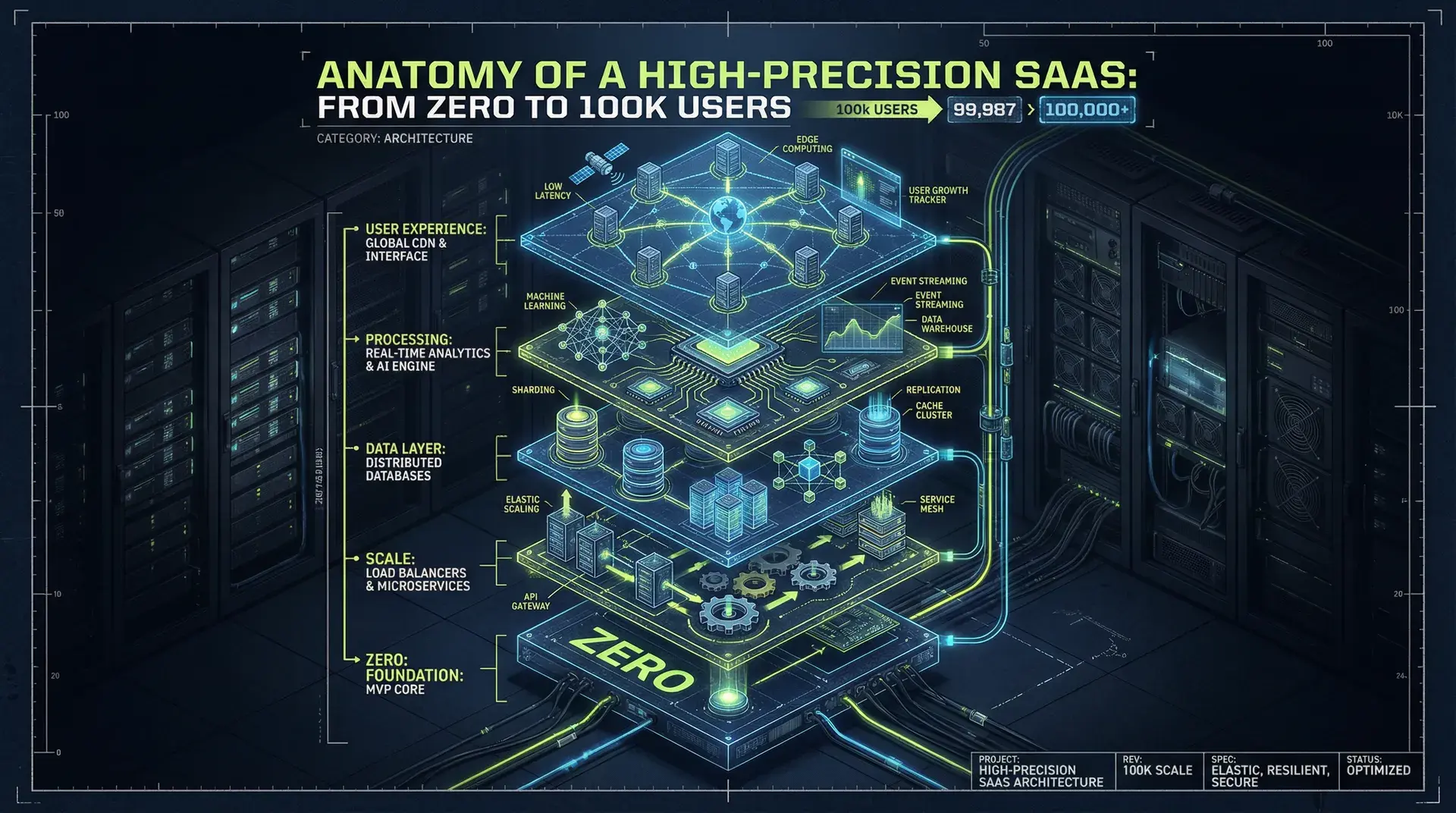
Before we dive in, here's what we're building toward:
┌─────────────────────────────────────────────────────────────┐
│  PRESENTATION                                               │
│  Next.js 15 (App Router) → Vercel/Cloudflare → CDN Edge    │
├─────────────────────────────────────────────────────────────┤
│  API LAYER                                                  │
│  tRPC (internal) + REST (public) → Type-safe end-to-end    │
├─────────────────────────────────────────────────────────────┤
│  DATA                                                       │
│  PostgreSQL + RLS → Supavisor/PgBouncer → Connection Pool  │
├─────────────────────────────────────────────────────────────┤
│  INFRASTRUCTURE                                             │
│  Phase 1: Vercel → Phase 2: Hybrid → Phase 3: AWS ECS      │
└─────────────────────────────────────────────────────────────┘
This isn't the only valid architecture. But it fits B2B products in the $10k-$100k MRR range.
Part 1: Infrastructure Economics
The Vercel Question
Every Next.js project starts with the same question: Vercel or self-host?
Here's the honest answer: Vercel until it hurts.
The math is straightforward. Vercel Pro costs $20/month per team member. For a 5-person startup, that's $100/month plus usage. An experienced SRE costs $150,000-$200,000 annually. If your infrastructure bill stays under $2,000/month, you cannot justify the hiring cost of someone to manage AWS.
But Vercel has cliffs. Hard ones.
The Bandwidth Cliff
Vercel includes 1TB of bandwidth on Pro. Overage costs $0.15 per GB... that's $150 per additional TB. For a document-heavy B2B app (think: PDF generation, file attachments, rich dashboards), you can hit 2-3TB monthly at 50k users.
The failure mode is a bill that multiplies in a single cycle: a marketing campaign drives traffic, and a file-export feature serves hundreds of gigabytes in a few weeks. No warning. No throttling. Only a bill.
The Compliance Cliff
Some enterprise customers require static IP addresses for firewall allowlisting. Vercel doesn't offer this. If a $200k/year contract depends on IP whitelisting, you're migrating to AWS whether you're ready or not.
The Latency Cliff
Serverless functions have cold starts. Vercel has improved this dramatically with Fluid Compute... cold starts are now approximately 100ms in optimal conditions. But "optimal" means predictable traffic patterns. A burst of 500 concurrent users at 9am Monday (common in B2B) can still trigger cold starts across your function fleet.
For applications where P99 latency must stay under 200ms consistently, serverless is the wrong model. You need always-on containers.
The Migration Trajectory
Here's the pattern I've observed across a dozen B2B products:
| Phase | MAU | Infrastructure | Monthly Cost |
|---|---|---|---|
| 0-10k | 0-10,000 | Vercel Pro | $100-$500 |
| 10k-50k | 10,000-50,000 | Vercel + Optimization | $500-$2,000 |
| 50k-100k | 50,000-100,000 | AWS ECS/Fargate | $300-$800 + labor |
The counterintuitive insight: AWS is often cheaper at scale, but more expensive at the start. A minimal high-availability setup on AWS (NAT Gateway, ALB, monitoring) runs $150/month before you deploy any code. On Vercel, that's $0.
The optimal path is not "AWS from day one." It's "Vercel until the economics flip, then migrate with intention."
The Cloudflare Alternative
There's a third option that deserves mention: Cloudflare Workers with Pages.
Cloudflare runs on V8 isolates rather than containers. The practical difference: cold starts of 40-150ms versus Vercel's 100-500ms. For latency-sensitive applications, this matters.
Cloudflare also charges based on CPU time, not wall-clock duration. If your function spends 90% of its time waiting for database responses (common in B2B), you're billed for 10% of what you'd pay on Vercel or Lambda.
The trade-off is compatibility. Cloudflare Workers aren't Node.js... they're a subset. Many npm packages don't work. Native modules are out. If your codebase relies heavily on the Node.js ecosystem, the migration cost may exceed the savings.
I've deployed Next.js to Cloudflare via OpenNext for three projects. Two went smoothly. One required rewriting a PDF generation pipeline because the library used native bindings. Know your dependencies before committing.
When to Migrate
Migrate to AWS when any of these are true:
- Bandwidth exceeds 1.5TB/month ... You're paying $75+ in overages, trending up
- Compliance requires static IPs ... Enterprise sales are blocked
- Cold starts violate SLAs ... Your contracts specify latency guarantees
- Background jobs exceed 60 seconds ... Vercel function timeouts are hard limits
- You need WebSockets at scale ... Serverless can't maintain persistent connections
Don't migrate because:
- "AWS is cheaper" (it's not, until it is)
- "We might need it someday" (you won't, until you do)
- "Real companies use AWS" (real companies ship products)
The Migration Itself
When you do migrate, here's what the path looks like:
Week 1-2: Infrastructure Setup
- VPC with public/private subnets across 2+ availability zones
- NAT Gateway for outbound traffic from private subnets
- Application Load Balancer with SSL termination
- ECS cluster with Fargate capacity provider
- ECR repository for Docker images
Week 3: Application Configuration
- Standalone Next.js Docker build
- Environment variable management (AWS Secrets Manager or Parameter Store)
- Health check endpoints for ALB target groups
- Log aggregation to CloudWatch
Week 4: Cutover
- Deploy to ECS behind a staging domain
- Load test to verify performance
- DNS cutover with low TTL
- Monitor for 48 hours before celebrating
Total engineering time: 80-120 hours for a senior developer familiar with AWS. If that's not you, budget for consulting or expect 2x the timeline.
The teams that struggle are the ones who try to migrate while also shipping features. Treat migration as a dedicated project with its own timeline.
Part 2: The Database Layer
The database is the one component you can't easily swap. Choose wrong here and you're facing a 6-month rewrite.
Why PostgreSQL
MongoDB, PlanetScale (MySQL), CockroachDB, and the NewSQL options are all worth evaluating for B2B SaaS. PostgreSQL still wins, for three reasons:
- Row-Level Security ... Native, battle-tested multi-tenancy at the database level
- JSONB ... Document flexibility without abandoning relational integrity
- Ecosystem ... Supabase, Neon, and every managed provider supports it
MongoDB is fine for prototypes. But the moment you need ACID transactions across multiple collections, or you're implementing audit trails for SOC 2 compliance, you'll wish you'd started with Postgres.
Multi-Tenancy: The Decision That Haunts You
There are three models for multi-tenant databases:
Model 1: Database-per-Tenant
tenant_acme.database → tenant_acme's data
tenant_globex.database → tenant_globex's data
Maximum isolation. Impossible to scale. I've never seen this work past 50 tenants.
Model 2: Schema-per-Tenant
public.tenant_acme.users → tenant_acme's users
public.tenant_globex.users → tenant_globex's users
Sounds elegant. Breaks at approximately 200-300 tenants. Here's why:
Running a migration (adding a column) requires iterating every schema. At 500 tenants with a 2-second migration per schema, your deployment takes 16 minutes. At 5,000 tenants, it takes nearly 3 hours. During this time, your application is in a mixed state... some schemas have the new column, some don't. You either accept downtime or build complex migration orchestration.
The workaround is "migration sharding": months of orchestration work that the right model would have avoided from the start.
Model 3: Shared Schema with Row-Level Security
CREATE TABLE users (
  id UUID PRIMARY KEY,
  tenant_id UUID NOT NULL,
  email TEXT NOT NULL,
  -- ... other columns
);

-- The magic: database-enforced isolation
ALTER TABLE users ENABLE ROW LEVEL SECURITY;

CREATE POLICY tenant_isolation ON users
  USING (tenant_id = current_setting('app.current_tenant')::UUID);
One table. One migration. Infinite tenants. The database itself enforces that Tenant A never sees Tenant B's data... even if your application code has a bug.
This is the only model I recommend for B2B SaaS in 2026.
RLS Performance: The Truth
The common objection to RLS: "Doesn't checking a policy on every row kill performance?"
The answer is nuanced.
Naive RLS is slow. If you write:
SELECT * FROM widgets;And rely entirely on RLS to filter, the query planner may choose a sequential scan. On a table with 10 million rows across 1,000 tenants, this is catastrophic.
Explicit filtering with RLS is fast. If you write:
SELECT * FROM widgets WHERE tenant_id = 'abc-123';The query planner uses your index on tenant_id, and RLS acts as a safety net... not the primary filter. Benchmarks show this approach performs within 5% of queries without RLS, while providing defense-in-depth against data leaks.
The pattern: Always include tenant_id in your WHERE clause. Use RLS as the backstop, not the filter.
The Index That Matters
For multi-tenant B2B, one index pattern dominates:
CREATE INDEX idx_widgets_tenant_created
ON widgets (tenant_id, created_at DESC);
This composite index serves the most common B2B query: "Show me the latest items for my organization." The database jumps directly to the tenant's data block in the B-tree, ignoring millions of rows from other tenants.
Without this index, every "recent activity" query scans the entire table. With it, the same query touches only the tenant's rows.
Connection Pooling: Non-Negotiable
Serverless functions are stateless. Each invocation can potentially open a new database connection. A traffic spike that spawns 500 concurrent function instances will attempt 500 database connections.
PostgreSQL typically limits connections to 100-500. Without a pooler, your application crashes under load.
PgBouncer is the traditional solution... lightweight, battle-tested, but single-threaded. It becomes a bottleneck on high-throughput systems.
Supavisor is the modern alternative. Built in Elixir, it's been benchmarked handling 1 million concurrent connections while maintaining 20,000 queries per second. If you're using Supabase, you get Supavisor automatically. If not, deploy PgBouncer and plan to upgrade.
The rule: If you're running serverless at any scale, connection pooling is not optional.
Database Provider Selection
A quick note on managed PostgreSQL providers, since this question comes up constantly:
Supabase ... Best developer experience. RLS is a first-class citizen. Supavisor included. The dashboard is excellent for debugging. Downside: you're tied to their ecosystem (auth, storage, realtime). If you just want Postgres, you're paying for features you won't use.
Neon ... Serverless Postgres with branching. The killer feature is database branches for preview deployments... each PR gets its own database copy. Downside: relatively new, and the serverless scaling can cause latency spikes during cold starts.
AWS RDS ... The enterprise standard. Rock-solid reliability. Downside: no built-in connection pooling (you'll deploy PgBouncer yourself), and the console is a maze.
PlanetScale ... MySQL, not Postgres. I mention it because teams ask. Their branching workflow is excellent, but you lose RLS, JSONB, and the PostgreSQL ecosystem. For B2B SaaS with multi-tenancy requirements, I don't recommend it.
My default recommendation: Supabase for 0-50k users, then evaluate whether to migrate to RDS based on specific requirements (compliance, existing AWS infrastructure, cost optimization at scale).
Part 3: The API Layer
tRPC for Internal, REST for External
The API architecture question has a clear answer for B2B SaaS:
- Internal dashboard → tRPC
- Public/partner API → REST with OpenAPI
tRPC provides end-to-end type safety in a TypeScript monorepo. You define a procedure on the server:
// server/routers/widgets.ts
export const widgetRouter = router({
	list: protectedProcedure
		.input(z.object({ limit: z.number().default(10) }))
		.query(async ({ ctx, input }) => {
			return ctx.db.widget.findMany({
				where: { tenantId: ctx.tenant.id },
				take: input.limit,
			});
		}),
});
And the client immediately knows the return type:
// No API documentation needed. No type generation.
// The types flow from server to client automatically.
const { data } = trpc.widget.list.useQuery({ limit: 20 });
// data is fully typed: Widget[]
This eliminates an entire category of bugs... mismatched request/response types, outdated API documentation, runtime type errors from backend changes.
But tRPC tightly couples client and server. You can't give a tRPC endpoint to a customer and say "integrate with this." They'd need your type definitions, your TypeScript setup, your entire build system.
For public APIs, REST with OpenAPI specification remains the standard. Enterprise customers expect Swagger documentation, not a TypeScript monorepo.
The hybrid approach: tRPC powers your dashboard (80% of traffic), REST handles integrations (20% of traffic, 80% of documentation effort).
Bundle Size Considerations
Your choice of data-fetching library affects Time to Interactive:
| Library | Size (min+gzip) | Use Case |
|---|---|---|
| SWR | ~5.5 kB | Simple REST fetching |
| tRPC Client | ~5-11 kB | Type-safe internal APIs |
| TanStack Query | ~13 kB | Complex caching/mutations |
| Apollo Client | ~20-40 kB | GraphQL with normalization |
For B2B dashboards where users are on corporate networks, these differences matter less than in consumer apps. But if your bundle is already 500kB, adding Apollo's 40kB is a 8% increase. That adds up.
I default to tRPC + TanStack Query. The bundle cost (~18kB combined) is justified by the developer experience gains.
Part 4: The Next.js Application Layer
App Router in 2026
Next.js 15 made React Server Components the default with the App Router. This is no longer experimental... it's the standard.
The trade-off is explicit: smaller client bundles in exchange for potentially slower Time to First Byte (TTFB).
Server Components render on the server. The client receives HTML, not JavaScript. For a complex dashboard component that previously shipped 50kB of JavaScript, the client now receives 0kB... just the rendered output.
But that rendering happens on every request (unless cached). If your Server Component fetches data from three APIs sequentially, TTFB increases by the sum of those latencies.
The pattern that works:
// Parallel data fetching with Suspense
async function Dashboard() {
	// These fetch in parallel, not sequentially
	const [metrics, activity, alerts] = await Promise.all([
		getMetrics(),
		getRecentActivity(),
		getActiveAlerts(),
	]);

	return (
		<div>
			<MetricsPanel data={metrics} />
			<ActivityFeed data={activity} />
			<AlertsBanner data={alerts} />
		</div>
	);
}
Caching: The Breaking Change
Next.js 15 changed caching from opt-out to opt-in. This was the right call.
Previous versions cached aggressively by default, which produced a familiar class of bug: B2B dashboards showing stale data... inventory counts that didn't update after orders, user lists that missed recent additions. The fix was always "add cache: 'no-store'" but developers had to know to add it.
In Next.js 15+, nothing is cached unless you explicitly enable it:
// This fetches fresh data on every request
const data = await fetch("/api/widgets");

// This caches for 60 seconds
const data = await fetch("/api/widgets", {
	next: { revalidate: 60 },
});
For B2B SaaS where data freshness is critical, this default is correct. Opt-in caching forces you to think about what should be cached, rather than discovering stale data in production.
Docker Optimization
If you're self-hosting Next.js (on AWS ECS or similar), Docker configuration matters.
A naive Docker build produces a 2GB+ image:
# DON'T DO THIS
FROM node:20
COPY . .
RUN npm install
RUN npm run build
CMD ["npm", "start"]
This copies your entire node_modules and build cache into the image. Deployment takes minutes. Container startup is slow. Storage costs add up.
The fix is Next.js standalone output:
// next.config.js
module.exports = {
	output: "standalone",
};
# Production Dockerfile
FROM node:20-alpine AS base
FROM base AS builder
WORKDIR /app
COPY package*.json ./
RUN npm ci
COPY . .
RUN npm run build
FROM base AS runner
WORKDIR /app
ENV NODE_ENV=production
# Copy only what's needed
COPY --from=builder /app/.next/standalone ./
COPY --from=builder /app/.next/static ./.next/static
COPY --from=builder /app/public ./public
EXPOSE 3000
CMD ["node", "server.js"]This produces a ~200MB image...90% smaller. Deployments are faster. Cold starts are faster. Storage is cheaper.
One more critical setting:
ENV NODE_OPTIONS="--max-old-space-size=768"Set this to ~75% of your container's memory allocation. Without it, Node.js will consume memory until the container is killed by the orchestrator, causing restarts under load.
Part 5: The Phased Approach
Architecture isn't a destination. It's a series of decisions made at the right time.
Phase 1: Zero to 10k MAU
Goal: Ship features. Validate product-market fit.
- Infrastructure: Vercel Pro
- Database: Managed PostgreSQL (Supabase or Neon) with RLS enabled from day one
- API: tRPC for everything
- Monitoring: Vercel Analytics + basic error tracking
Don't optimize. Don't worry about AWS. The "Vercel tax" is cheaper than hiring DevOps. Your only job is to find customers.
Phase 2: 10k to 50k MAU
Goal: Optimize without over-engineering.
- Enable Next.js standalone output (prepare for containerization)
- Add composite indexes for common query patterns
- Implement caching for static content (navigation, feature flags)
- Add OpenTelemetry tracing to identify bottlenecks
- Build your public REST API for enterprise integrations
Watch your Vercel bill. If bandwidth approaches 1TB, start planning migration.
Phase 3: 50k to 100k+ MAU
Goal: Take control of infrastructure economics.
- Migrate to AWS ECS/Fargate if bandwidth exceeds 1.5TB or compliance requires it
- Deploy Supavisor or PgBouncer for connection pooling
- Implement proper CI/CD with preview environments
- Consider read replicas if database CPU exceeds 70%
This phase requires DevOps capability... either hire or contract. The infrastructure complexity now justifies the labor cost.
What This Doesn't Cover
This guide intentionally omits:
- Real-time features (WebSockets, presence) ... These require dedicated infrastructure (PartyKit, dedicated Node.js servers)
- Background jobs over 60 seconds ... Use AWS Step Functions, Temporal, or Bull queues on dedicated workers
- AI/ML workloads ... GPU infrastructure is a different discipline
- Mobile applications ... The API layer changes significantly for mobile-first products
Each of these deserves its own deep-dive. This guide is about the core architecture that handles 80% of B2B SaaS requirements.
Common Mistakes
Before closing, here are the patterns that consistently cause pain:
Mistake 1: Premature Kubernetes
A 4-person startup with 200 users does not need three months of Kubernetes setup "for scale." Ship features on Vercel and worry about K8s at 50k users... if ever. ECS Fargate handles 100k users without the operational complexity of Kubernetes.
Unless you have dedicated platform engineers, Kubernetes is a distraction until you're well past the scale this guide covers.
Mistake 2: GraphQL for Internal APIs
GraphQL solves a real problem: mobile apps with bandwidth constraints need to request exactly the data they need. But for a web-only B2B dashboard where the frontend and backend are in the same repo? GraphQL adds schema maintenance, code generation, and a 40kB client library for no benefit.
tRPC gives you the same type safety with none of the ceremony. Save GraphQL for when you have mobile apps or third-party developers who need query flexibility.
Mistake 3: Ignoring Multi-Tenancy Until Later
"We'll add proper tenant isolation when we have more customers."
No, you won't. You'll have a hundred customers with intertwined data, a codebase full of WHERE company_id = clauses that sometimes get forgotten, and a month of terror when you discover a data leak during a SOC 2 audit.
Implement RLS on day one. It's five lines of SQL per table. The cost of doing it later is measured in months, not hours.
Mistake 4: Optimizing Before Measuring
I once reviewed a codebase where the team had implemented Redis caching, read replicas, and a CDN... for an app with 300 users and a P95 latency of 180ms. They'd spent two months on infrastructure that provided no measurable benefit.
Before optimizing anything, add basic observability: request latency percentiles, database query times, error rates. Optimize the slowest thing. Then measure again. Repeat until the metrics are acceptable.
The teams that ship fast are the ones that resist premature optimization.
The Takeaway
Building to 100k users is not about choosing perfect technology. It's about:
- Starting simple ... Vercel + Supabase gets you to 10k users for $100/month
- Making irreversible decisions carefully ... Database schema is hard to change; hosting is not
- Migrating with intention ... Move to AWS when the economics demand it, not when your ego does
- Using RLS from day one ... You cannot retrofit multi-tenant security
- Measuring before optimizing ... Intuition about performance is usually wrong
The companies that reach 100k users aren't the ones with the most sophisticated architecture. They're the ones that shipped fast, paid attention to the cliffs, and evolved their infrastructure alongside their business.
Build the machine that builds the machine. Start with something that works. Make it better when "better" matters.
Further Reading
If you want to go deeper on specific topics covered here:
- Multi-tenant PostgreSQL: The AWS blog on RLS for multi-tenancy is the canonical reference
- Connection Pooling: Supabase's Supavisor announcement includes detailed benchmarks
- Next.js Caching: The Next.js 15 release notes explain the caching behavior changes
- Docker Optimization: The standalone output documentation covers the build configuration
Ready to build high-precision SaaS architecture? I build and maintain production web systems ... and write about the decisions behind them.
Have questions about implementing this architecture? I work with 3-4 clients per year on projects like this. Get in touch.
Continue Reading
This post is part of the SaaS Architecture Decision Framework ... covering multi-tenancy, deployment models, database scaling, and cost optimization from MVP to $1M ARR.
More in This Series
- Multi-Tenancy with Prisma & RLS ... Database isolation patterns
- Zero to 10K MRR SaaS Playbook ... Early-stage architecture
- Boring Technology Wins ... Technology selection philosophy
Ready to make better architecture decisions? Work with me on your SaaS architecture.