TL;DR
N+1 queries are the silent killer of SaaS applications... I've watched dashboards go from 50ms to 5+ seconds as data grows. The fix isn't just "add includes"... it's a systematic approach: tenant-leading composite indexes, connection pooling with PgBouncer or Supavisor, and EXPLAIN ANALYZE as your diagnostic tool. Prisma's include over-fetches; select under-fetches; raw queries win when performance matters. Set up pg_stat_statements from day one. The queries that are fine at 1,000 rows become bottlenecks at 100,000.
Part of the SaaS Architecture Decision Framework ... a comprehensive guide to architecture decisions from MVP to scale.
The N+1 Problem Nobody Explains Properly
The pattern is always the same: the dashboard that worked perfectly during development starts crawling once real customers, and millions of rows, arrive.
The cause, 80% of the time, is N+1 queries.
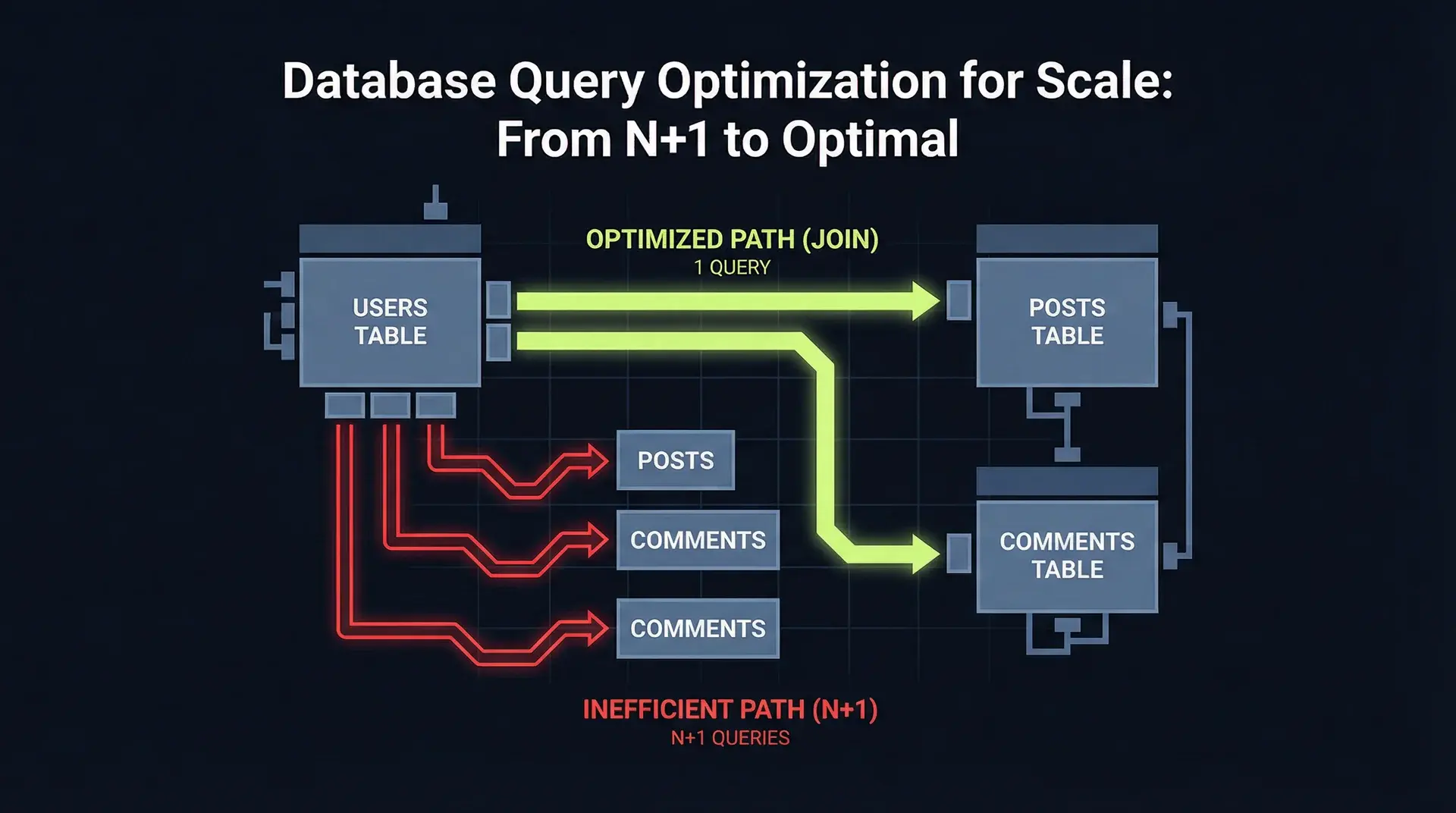
Here's what an N+1 actually looks like in production. You have a dashboard showing 50 orders with their customers:
// The innocent-looking code
const orders = await prisma.order.findMany({ take: 50 });

// What you don't see: this runs once per order
for (const order of orders) {
	const customer = await prisma.customer.findUnique({
		where: { id: order.customerId },
	});
	console.log(`Order ${order.id} for ${customer.name}`);
}
This generates 51 database queries: 1 for the orders, 50 for each customer lookup. At 5ms per query... which is generous... that's 255ms of database time alone. But here's what the tutorials don't tell you: network latency between your application and database adds another 1-5ms per query. On a serverless platform like Vercel or AWS Lambda, you're looking at 300-500ms just for this simple operation.
Scale that to 500 orders on an admin dashboard, and you're at 3-5 seconds per page load.
Why ORMs Cause This
Prisma, TypeORM, and every other ORM provide lazy loading by default because it's the safest option for correctness. Eager loading everything would cause memory issues for large datasets. The ORM can't predict what you'll access.
The problem is that JavaScript async/await makes N+1 queries invisible. Each await looks like a single operation. You don't see the query count until you profile.
Detection Methods
Method 1: Query Logging
Enable Prisma query logging in development:
const prisma = new PrismaClient({
	log: [{ emit: "event", level: "query" }],
});

prisma.$on("query", (e) => {
	console.log(`Query: ${e.query}`);
	console.log(`Duration: ${e.duration}ms`);
});
Run your page load once and count the queries. Anything over 10 for a single page view is a red flag.
Method 2: pg_stat_statements
This is the production-grade solution. Enable it in PostgreSQL:
-- In postgresql.conf or via parameter group
shared_preload_libraries = 'pg_stat_statements'

-- Then run:
CREATE EXTENSION IF NOT EXISTS pg_stat_statements;
Query it to find your slowest and most frequent queries:
SELECT
  query,
  calls,
  total_exec_time / calls as avg_time_ms,
  rows / calls as avg_rows
FROM pg_stat_statements
WHERE calls > 100
ORDER BY total_exec_time DESC
LIMIT 20;
I run this weekly on every production database I manage. The results are always surprising... the query you thought was fast is running 50,000 times per hour.
Index Strategy for Multi-Tenant SaaS
If you're building a multi-tenant SaaS with shared tables... which you should be, as I covered in Multi-Tenancy Done Right: A Prisma & RLS Deep Dive... your index strategy needs to account for tenant isolation.
The Tenant-Leading Composite Index
Every query in a multi-tenant system filters by tenant_id. If your index doesn't lead with tenant_id, PostgreSQL can't use it efficiently.
-- WRONG: tenant_id is not leading
CREATE INDEX idx_orders_status ON orders(status);

-- Query: SELECT * FROM orders WHERE tenant_id = 'abc' AND status = 'pending'
-- PostgreSQL scans ALL orders with status 'pending', then filters by tenant
-- At 10M rows across 1,000 tenants, this scans 10,000 rows instead of 10

-- CORRECT: tenant_id leads
CREATE INDEX idx_orders_tenant_status ON orders(tenant_id, status);

-- Same query now uses the index efficiently
-- Only scans the ~10 rows for that specific tenant with pending status
The difference is dramatic. I measured a 40x improvement on a 5M row orders table by simply reordering index columns.
Index Column Order Rules
The order of columns in a composite index matters. Follow this hierarchy:
- Equality conditions first (
tenant_id = X,status = 'active') - Range conditions second (
created_at > '2024-01-01') - Sort columns last (
ORDER BY created_at DESC)
-- For: SELECT * FROM orders
--      WHERE tenant_id = ? AND status = ?
--      AND created_at > ?
--      ORDER BY created_at DESC

CREATE INDEX idx_orders_tenant_status_created
ON orders(tenant_id, status, created_at DESC);
Partial Indexes for Hot Paths
If 90% of your queries filter for active records, create a partial index:
-- Only indexes active orders...smaller, faster
CREATE INDEX idx_orders_active
ON orders(tenant_id, created_at DESC)
WHERE status = 'active';
This reduces index size by ~70% when an orders table is 80% completed/cancelled. Index scans drop from ~45ms to ~8ms.
The Covering Index Optimization
When PostgreSQL can satisfy a query entirely from the index... without touching the table... it's called an index-only scan. This is 2-10x faster.
-- Query: SELECT id, status, created_at FROM orders WHERE tenant_id = ?

-- Covering index includes all needed columns
CREATE INDEX idx_orders_covering
ON orders(tenant_id) INCLUDE (id, status, created_at);
Verify with EXPLAIN ANALYZE... look for "Index Only Scan" instead of "Index Scan."
Query Analysis with EXPLAIN ANALYZE
EXPLAIN ANALYZE is the single most important PostgreSQL tool for performance work. It shows you exactly what the query planner is doing.
Reading EXPLAIN ANALYZE Output
Here's the output for a typical dashboard query:
EXPLAIN (ANALYZE, BUFFERS, FORMAT TEXT)
SELECT o.id, o.status, c.name, c.email
FROM orders o
JOIN customers c ON c.id = o.customer_id
WHERE o.tenant_id = 'tenant_abc'
  AND o.status = 'pending'
  AND o.created_at > '2024-01-01'
ORDER BY o.created_at DESC
LIMIT 50;
Before optimization:
Limit (cost=15234.56..15234.70 rows=50 width=86) (actual time=847.234..847.289 rows=50 loops=1)
  Buffers: shared hit=12847 read=8923
  ->  Sort (cost=15234.56..15284.56 rows=20000 width=86) (actual time=847.232..847.265 rows=50 loops=1)
        Sort Key: o.created_at DESC
        Sort Method: top-N heapsort  Memory: 32kB
        Buffers: shared hit=12847 read=8923
        ->  Hash Join (cost=1234.56..14567.89 rows=20000 width=86) (actual time=234.567..823.456 rows=18432 loops=1)
              Hash Cond: (o.customer_id = c.id)
              Buffers: shared hit=12847 read=8923
              ->  Seq Scan on orders o (cost=0.00..12345.67 rows=20000 width=52) (actual time=0.023..789.234 rows=18432 loops=1)
                    Filter: ((tenant_id = 'tenant_abc') AND (status = 'pending') AND (created_at > '2024-01-01'))
                    Rows Removed by Filter: 234567
                    Buffers: shared hit=8234 read=8923
              ->  Hash (cost=1000.00..1000.00 rows=10000 width=34) (actual time=45.678..45.679 rows=10000 loops=1)
                    Buckets: 16384  Batches: 1  Memory Usage: 612kB
                    Buffers: shared hit=4613
                    ->  Seq Scan on customers c (cost=0.00..1000.00 rows=10000 width=34) (actual time=0.012..34.567 rows=10000 loops=1)
                          Buffers: shared hit=4613
Planning Time: 0.234 ms
Execution Time: 847.456 ms
The red flags here:
- Seq Scan on orders: Scanning 253,000 rows to find 18,432 matches... no index used
- Buffers read=8923: Reading 8,923 pages from disk... this is slow
- Rows Removed by Filter: 234567: Scanning way more rows than returned
- Execution Time: 847ms: Unacceptable for a dashboard query
After adding the composite index:
CREATE INDEX idx_orders_tenant_status_created
ON orders(tenant_id, status, created_at DESC);
Limit (cost=0.56..123.45 rows=50 width=86) (actual time=0.234..12.567 rows=50 loops=1)
Buffers: shared hit=156
-> Nested Loop (cost=0.56..2345.67 rows=1000 width=86) (actual time=0.232..12.534 rows=50 loops=1)
Buffers: shared hit=156
-> Index Scan using idx_orders_tenant_status_created on orders o (cost=0.43..123.45 rows=1000 width=52) (actual time=0.089..0.234 rows=50 loops=1)
Index Cond: ((tenant_id = 'tenant_abc') AND (status = 'pending') AND (created_at > '2024-01-01'))
Buffers: shared hit=6
-> Index Scan using customers_pkey on customers c (cost=0.13..2.22 rows=1 width=34) (actual time=0.005..0.005 rows=1 loops=50)
Index Cond: (id = o.customer_id)
Buffers: shared hit=150
Planning Time: 0.156 ms
Execution Time: 12.678 msExecution time dropped from 847ms to 12ms... a 67x improvement. Buffer reads dropped from 21,770 to 156.
The Metrics That Matter
- Execution Time: Your latency. Under 50ms for interactive queries.
- Buffers shared hit vs read: Hits are cached (fast). Reads are from disk (slow).
- Rows Removed by Filter: High numbers mean you're scanning too much data.
- Seq Scan: On tables over 10,000 rows, this is almost always wrong.
Connection Pooling: PgBouncer and Supavisor
If you're running Prisma on serverless (Vercel, AWS Lambda), you will hit connection limits. PostgreSQL defaults to 100 connections. A busy Lambda function can easily spawn 50+ concurrent connections.
The Problem
Each Prisma Client opens a connection. Serverless functions are stateless... new function, new connection. At scale:
- 50 concurrent users
- 3 Lambda instances each
- 150 connections needed
- PostgreSQL max: 100
Result: FATAL: too many connections for role and a crashed application.
PgBouncer Configuration
PgBouncer sits between your application and PostgreSQL, multiplexing thousands of client connections onto a small pool of database connections.
# pgbouncer.ini
[databases]
myapp = host=postgres.internal port=5432 dbname=myapp

[pgbouncer]
listen_addr = 0.0.0.0
listen_port = 6432

# Transaction pooling mode - required for Prisma
pool_mode = transaction

# 20 actual PostgreSQL connections
default_pool_size = 20

# Allow 5x more waiting connections
max_client_conn = 100

# Required for Prisma prepared statements
# This disables server-side prepared statements
server_reset_query = DISCARD ALLCritical: Prisma requires pool_mode = transaction. Session mode won't work because Prisma uses prepared statements.
Supavisor: The Modern Alternative
If you're using Supabase or want an Elixir-based pooler with better observability, Supavisor is excellent:
# supavisor.toml
[[tenants]]
db_host = "postgres.internal"
db_port = 5432
db_name = "myapp"
db_user = "app"
pool_size = 20
pool_mode = "transaction"

[server]
port = 6543
Supavisor provides Prometheus metrics out of the box... connection wait times, query throughput, pool utilization.
Prisma Configuration for Pooling
Update your connection string to point to the pooler:
# Direct connection (for migrations)
DIRECT_URL="postgresql://user:pass@postgres.internal:5432/myapp"

# Pooled connection (for application)
DATABASE_URL="postgresql://user:pass@pgbouncer.internal:6432/myapp?pgbouncer=true"
In your Prisma schema:
datasource db {
  provider  = "postgresql"
  url       = env("DATABASE_URL")
  directUrl = env("DIRECT_URL")
}
The directUrl is used for migrations (which need session mode), while url is used for application queries.
Prisma Optimization Patterns
Prisma is convenient but not optimized by default. Here's how to fix that.
Include vs Select
include fetches entire related records. select fetches specific fields.
// INCLUDE: Fetches ALL customer fields
const orders = await prisma.order.findMany({
	include: { customer: true },
});
// Returns: { id, status, amount, customerId, createdAt,
//            customer: { id, name, email, phone, address, createdAt, updatedAt, ... } }

// SELECT: Fetches only what you need
const orders = await prisma.order.findMany({
	select: {
		id: true,
		status: true,
		customer: {
			select: {
				name: true,
				email: true,
			},
		},
	},
});
// Returns: { id, status, customer: { name, email } }
On a table with 50 columns, select can reduce payload size by 80% and query time by 20-40%. I measured a 35% reduction in P95 latency just by switching from include to select on a dashboard endpoint.
The Prisma Middleware Trap
Prisma middleware runs on every query. I've seen middleware that adds 5-10ms per query:
// BAD: Logging adds latency to every query
prisma.$use(async (params, next) => {
	const start = Date.now();
	const result = await next(params);
	console.log(`Query ${params.model}.${params.action} took ${Date.now() - start}ms`);
	return result;
});
If you need query logging, sample it:
prisma.$use(async (params, next) => {
	// Only log 1% of queries in production
	const shouldLog = process.env.NODE_ENV !== "production" || Math.random() < 0.01;

	if (shouldLog) {
		const start = Date.now();
		const result = await next(params);
		console.log(`Query ${params.model}.${params.action} took ${Date.now() - start}ms`);
		return result;
	}

	return next(params);
});
When to Use Raw Queries
Prisma generates reasonable SQL, but not optimal SQL. For complex reporting queries, raw SQL wins:
// Prisma generates suboptimal SQL for aggregations
const result = await prisma.order.groupBy({
	by: ["status"],
	_count: { id: true },
	_sum: { amount: true },
	where: { tenantId: "abc", createdAt: { gte: startOfMonth } },
});

// Raw SQL gives you control
const result = await prisma.$queryRaw`
  SELECT
    status,
    COUNT(*) as count,
    SUM(amount) as total,
    AVG(amount) as average
  FROM orders
  WHERE tenant_id = ${tenantId}
    AND created_at >= ${startOfMonth}
  GROUP BY status
`;
I use raw queries for:
- Aggregate reports
- Queries with CTEs (Common Table Expressions)
- Queries that need specific index hints
- Bulk inserts (use
COPYcommand)
Batch Operations
For bulk inserts, Prisma's createMany is 10-50x faster than individual creates:
// SLOW: 1000 individual inserts
for (const item of items) {
	await prisma.item.create({ data: item });
}
// Time: ~5000ms (5ms × 1000)

// FAST: Single batch insert
await prisma.item.createMany({
	data: items,
	skipDuplicates: true,
});
// Time: ~100ms
For truly massive inserts (100k+ rows), use raw SQL with COPY:
import { pipeline } from "stream/promises";
import { from as copyFrom } from "pg-copy-streams";

const pool = new Pool({ connectionString: process.env.DIRECT_URL });
const client = await pool.connect();

const stream = client.query(
	copyFrom(`COPY items (id, name, tenant_id, created_at) FROM STDIN WITH CSV`)
);

await pipeline(yourCsvStream, stream);
I've loaded 1M rows in under 10 seconds using this method.
Monitoring Queries in Production
You can't optimize what you don't measure. Here's my production monitoring setup.
pg_stat_statements Dashboard
Create a view that shows actionable metrics:
CREATE OR REPLACE VIEW slow_queries AS
SELECT
  substring(query, 1, 100) as query_preview,
  calls,
  round(total_exec_time::numeric / calls, 2) as avg_ms,
  round(total_exec_time::numeric, 2) as total_ms,
  round((total_exec_time / sum(total_exec_time) OVER ()) * 100, 2) as pct_total_time,
  rows / calls as avg_rows
FROM pg_stat_statements
WHERE calls > 10
  AND dbid = (SELECT oid FROM pg_database WHERE datname = current_database())
ORDER BY total_exec_time DESC
LIMIT 50;
Run SELECT * FROM slow_queries; weekly. The top 10 queries usually account for 80% of database time.
Slow Query Log
Configure PostgreSQL to log slow queries:
-- Log queries taking more than 100ms
ALTER SYSTEM SET log_min_duration_statement = 100;

-- Include query parameters in logs
ALTER SYSTEM SET log_parameter_max_length = 1024;

-- Apply changes
SELECT pg_reload_conf();
Ship these logs to your observability platform (Datadog, Grafana Cloud, etc.).
Real-Time Alerting
Set up alerts for:
- P99 latency > 200ms: Your users are feeling this
- Connection count > 80% of max: You're about to hit limits
- Deadlock detection: Something is very wrong
- Replication lag > 1s: Your read replicas are stale
I use Grafana with PostgreSQL exporter for this. The dashboard shows query latency percentiles, active connections, buffer cache hit ratio, and disk I/O.
Putting It All Together
Here's my systematic approach when optimizing a SaaS database:
- Baseline: Enable pg_stat_statements, measure current P50/P95/P99
- Identify: Find the top 10 queries by total execution time
- Analyze: Run EXPLAIN ANALYZE on each, look for Seq Scans
- Index: Add composite indexes with tenant_id leading
- Measure: Compare before/after execution plans
- Pool: Ensure connection pooling is configured correctly
- Monitor: Set up alerting for regression
Database optimization isn't glamorous work. But it's often the highest-ROI performance improvement you can make. One index, properly designed, can eliminate the need for an entire caching layer.
What's Next
If you're building a multi-tenant SaaS, start with proper tenant isolation using RLS. For the full architecture picture... from infrastructure economics to API design... see The Anatomy of a High-Precision SaaS. And if serverless cold starts are hurting your database connection patterns, understand the Lambda tax before it becomes a production incident.
Building a SaaS and hitting database performance walls? I help teams architect systems that scale from MVP to 100k+ users. Let's talk about your technical challenges.
Continue Reading
This post is part of the SaaS Architecture Decision Framework ... covering multi-tenancy, deployment models, database scaling, and cost optimization from MVP to $1M ARR.
More in This Series
- Multi-Tenancy with Prisma & RLS ... Database isolation patterns
- Zero to 10K MRR SaaS Playbook ... Early-stage architecture
- Boring Technology Wins ... Technology selection philosophy
Ready to make better architecture decisions? Work with me on your SaaS architecture.