TL;DR
Color tokens are table stakes. The real value comes from comprehensive tokens: typography scales, spacing systems, elevation hierarchies, animation curves, and breakpoint definitions. Whether the team is five people or fifty, the complete approach shortens design-to-code translation and eliminates the "that's not quite right" back-and-forth. Use the Design Tokens Community Group (DTCG) format, organize with primitive/semantic/component layers, and automate the pipeline from Figma to code.
Part of the Modern Frontend Architecture Guide ... design systems, component patterns, and Server Components.
The Incomplete Token Problem
Most teams start their design token journey with colors. It makes sense... colors are visible, easy to name, and obviously need consistency. So they create:
{
	"color": {
		"primary": "#3B82F6",
		"secondary": "#10B981",
		"error": "#EF4444"
	}
}
And then they stop.
Meanwhile, the designer specifies "16px padding with 24px gap and a medium shadow." The developer interprets this as... whatever they think "medium" means. The designer reviews and says "that's not quite right." Three rounds later, they've burned two hours on spacing that should have taken two minutes.
It's common to find codebases where the same "card" component exists in 14 variations across the app... each with slightly different padding, border-radius, and shadow combinations. Not because anyone wanted 14 variations. Because there was no single source of truth for anything except colors.
A complete token system eliminates this drift.
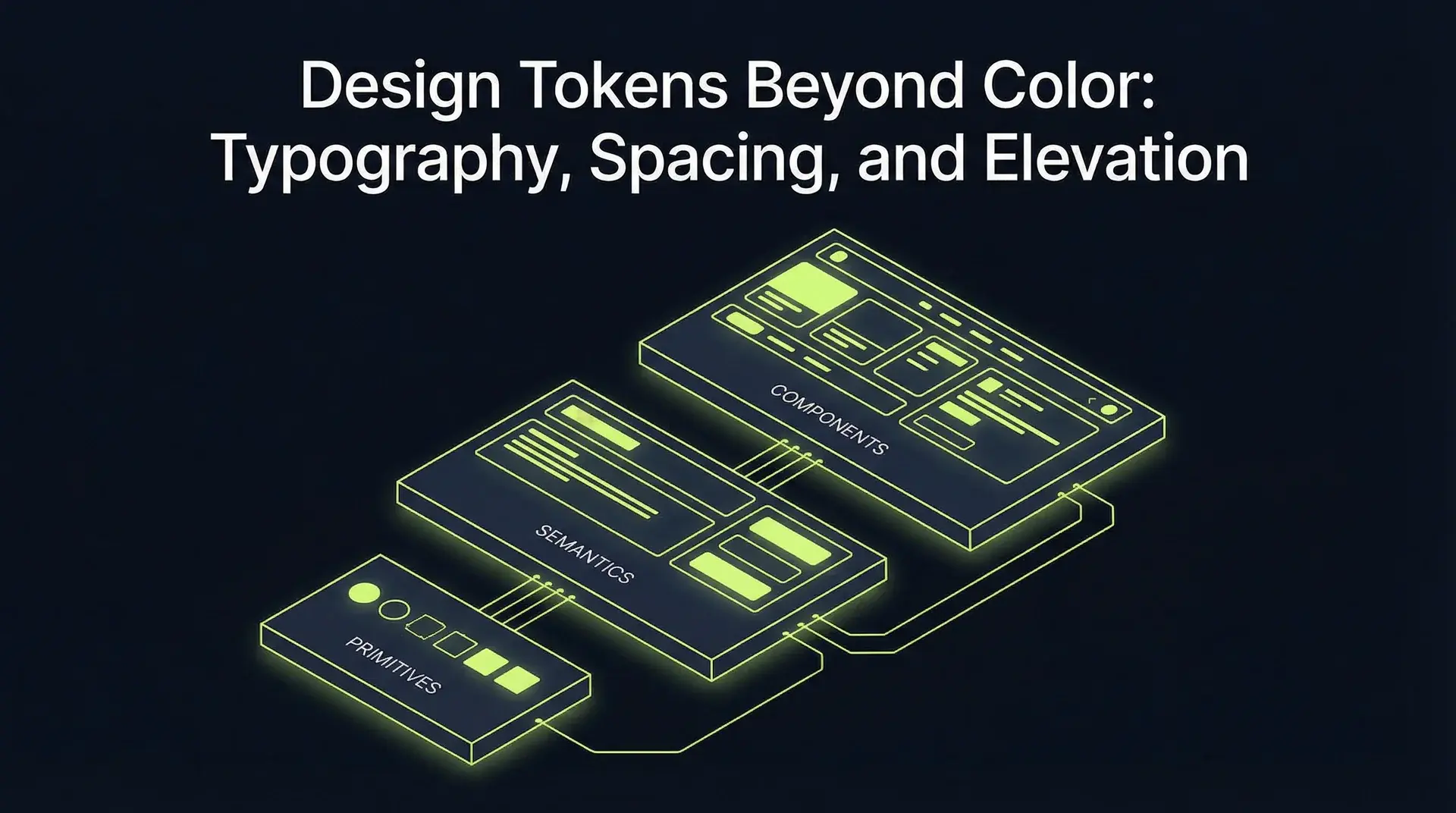
The Token Architecture
Design tokens exist in layers. Understanding these layers is the difference between a token system that works and one that becomes unmaintainable.
Layer 1: Primitive Tokens (The Raw Values)
Primitive tokens are the actual values... the building blocks with no semantic meaning.
{
	"$type": "dimension",
	"spacing": {
		"0": { "$value": "0px" },
		"1": { "$value": "4px" },
		"2": { "$value": "8px" },
		"3": { "$value": "12px" },
		"4": { "$value": "16px" },
		"5": { "$value": "20px" },
		"6": { "$value": "24px" },
		"8": { "$value": "32px" },
		"10": { "$value": "40px" },
		"12": { "$value": "48px" },
		"16": { "$value": "64px" }
	},
	"fontSize": {
		"xs": { "$value": "12px", "$type": "dimension" },
		"sm": { "$value": "14px", "$type": "dimension" },
		"base": { "$value": "16px", "$type": "dimension" },
		"lg": { "$value": "18px", "$type": "dimension" },
		"xl": { "$value": "20px", "$type": "dimension" },
		"2xl": { "$value": "24px", "$type": "dimension" },
		"3xl": { "$value": "30px", "$type": "dimension" },
		"4xl": { "$value": "36px", "$type": "dimension" }
	},
	"fontWeight": {
		"normal": { "$value": "400", "$type": "fontWeight" },
		"medium": { "$value": "500", "$type": "fontWeight" },
		"semibold": { "$value": "600", "$type": "fontWeight" },
		"bold": { "$value": "700", "$type": "fontWeight" }
	},
	"lineHeight": {
		"tight": { "$value": "1.25", "$type": "number" },
		"snug": { "$value": "1.375", "$type": "number" },
		"normal": { "$value": "1.5", "$type": "number" },
		"relaxed": { "$value": "1.625", "$type": "number" },
		"loose": { "$value": "2", "$type": "number" }
	},
	"shadow": {
		"sm": {
			"$value": "0 1px 2px 0 rgb(0 0 0 / 0.05)",
			"$type": "shadow"
		},
		"md": {
			"$value": "0 4px 6px -1px rgb(0 0 0 / 0.1), 0 2px 4px -2px rgb(0 0 0 / 0.1)",
			"$type": "shadow"
		},
		"lg": {
			"$value": "0 10px 15px -3px rgb(0 0 0 / 0.1), 0 4px 6px -4px rgb(0 0 0 / 0.1)",
			"$type": "shadow"
		},
		"brutal": {
			"$value": "4px 4px 0px #000000",
			"$type": "shadow"
		}
	},
	"duration": {
		"instant": { "$value": "0ms", "$type": "duration" },
		"fast": { "$value": "150ms", "$type": "duration" },
		"normal": { "$value": "300ms", "$type": "duration" },
		"slow": { "$value": "500ms", "$type": "duration" }
	},
	"easing": {
		"linear": { "$value": "linear", "$type": "cubicBezier" },
		"easeIn": { "$value": "cubic-bezier(0.4, 0, 1, 1)", "$type": "cubicBezier" },
		"easeOut": { "$value": "cubic-bezier(0, 0, 0.2, 1)", "$type": "cubicBezier" },
		"easeInOut": { "$value": "cubic-bezier(0.4, 0, 0.2, 1)", "$type": "cubicBezier" },
		"spring": { "$value": "cubic-bezier(0.34, 1.56, 0.64, 1)", "$type": "cubicBezier" }
	}
}
These primitives never reference other tokens. They're the atomic units.
Layer 2: Semantic Tokens (The Meaning)
Semantic tokens reference primitives and add meaning. This is where the design intent lives.
{
	"typography": {
		"heading": {
			"h1": {
				"fontSize": { "$value": "{fontSize.4xl}" },
				"fontWeight": { "$value": "{fontWeight.bold}" },
				"lineHeight": { "$value": "{lineHeight.tight}" },
				"letterSpacing": { "$value": "-0.02em", "$type": "dimension" }
			},
			"h2": {
				"fontSize": { "$value": "{fontSize.3xl}" },
				"fontWeight": { "$value": "{fontWeight.semibold}" },
				"lineHeight": { "$value": "{lineHeight.tight}" },
				"letterSpacing": { "$value": "-0.01em", "$type": "dimension" }
			},
			"h3": {
				"fontSize": { "$value": "{fontSize.2xl}" },
				"fontWeight": { "$value": "{fontWeight.semibold}" },
				"lineHeight": { "$value": "{lineHeight.snug}" }
			}
		},
		"body": {
			"large": {
				"fontSize": { "$value": "{fontSize.lg}" },
				"fontWeight": { "$value": "{fontWeight.normal}" },
				"lineHeight": { "$value": "{lineHeight.relaxed}" }
			},
			"default": {
				"fontSize": { "$value": "{fontSize.base}" },
				"fontWeight": { "$value": "{fontWeight.normal}" },
				"lineHeight": { "$value": "{lineHeight.normal}" }
			},
			"small": {
				"fontSize": { "$value": "{fontSize.sm}" },
				"fontWeight": { "$value": "{fontWeight.normal}" },
				"lineHeight": { "$value": "{lineHeight.normal}" }
			}
		}
	},
	"space": {
		"inset": {
			"xs": { "$value": "{spacing.2}" },
			"sm": { "$value": "{spacing.3}" },
			"md": { "$value": "{spacing.4}" },
			"lg": { "$value": "{spacing.6}" },
			"xl": { "$value": "{spacing.8}" }
		},
		"stack": {
			"xs": { "$value": "{spacing.2}" },
			"sm": { "$value": "{spacing.4}" },
			"md": { "$value": "{spacing.6}" },
			"lg": { "$value": "{spacing.8}" },
			"xl": { "$value": "{spacing.12}" }
		},
		"inline": {
			"xs": { "$value": "{spacing.1}" },
			"sm": { "$value": "{spacing.2}" },
			"md": { "$value": "{spacing.4}" },
			"lg": { "$value": "{spacing.6}" }
		}
	},
	"elevation": {
		"raised": { "$value": "{shadow.sm}" },
		"overlay": { "$value": "{shadow.md}" },
		"modal": { "$value": "{shadow.lg}" },
		"brutal": { "$value": "{shadow.brutal}" }
	},
	"animation": {
		"micro": {
			"duration": { "$value": "{duration.fast}" },
			"easing": { "$value": "{easing.easeOut}" }
		},
		"standard": {
			"duration": { "$value": "{duration.normal}" },
			"easing": { "$value": "{easing.easeInOut}" }
		},
		"expressive": {
			"duration": { "$value": "{duration.slow}" },
			"easing": { "$value": "{easing.spring}" }
		}
	}
}
Notice the references: {fontSize.4xl} points to the primitive. Change the primitive, and every semantic token using it updates.
Layer 3: Component Tokens (The Specifics)
Component tokens reference semantic tokens and define specific component styling.
{
	"button": {
		"padding": {
			"sm": {
				"x": { "$value": "{space.inset.sm}" },
				"y": { "$value": "{spacing.2}" }
			},
			"md": {
				"x": { "$value": "{space.inset.md}" },
				"y": { "$value": "{spacing.3}" }
			},
			"lg": {
				"x": { "$value": "{space.inset.lg}" },
				"y": { "$value": "{spacing.4}" }
			}
		},
		"typography": { "$value": "{typography.body.default}" },
		"shadow": { "$value": "{elevation.raised}" },
		"transition": { "$value": "{animation.micro}" }
	},
	"card": {
		"padding": { "$value": "{space.inset.lg}" },
		"gap": { "$value": "{space.stack.md}" },
		"shadow": { "$value": "{elevation.overlay}" },
		"borderRadius": { "$value": "{spacing.2}" }
	},
	"modal": {
		"padding": { "$value": "{space.inset.xl}" },
		"shadow": { "$value": "{elevation.modal}" }
	}
}
This three-layer architecture enables powerful changes. Want to increase all "medium" insets from 16px to 20px? Change one semantic token. Every button, card, and form using that token updates instantly.
Typography Tokens Done Right
Typography is where most token systems fall short. They define font sizes but forget line height. They handle body text but not headings. Here's how to do it comprehensively.
The Complete Typography Token
{
	"typography": {
		"display": {
			"hero": {
				"fontFamily": { "$value": "{fontFamily.heading}", "$type": "fontFamily" },
				"fontSize": { "$value": "64px", "$type": "dimension" },
				"fontWeight": { "$value": "{fontWeight.bold}" },
				"lineHeight": { "$value": "1.1", "$type": "number" },
				"letterSpacing": { "$value": "-0.03em", "$type": "dimension" }
			}
		},
		"label": {
			"default": {
				"fontFamily": { "$value": "{fontFamily.mono}", "$type": "fontFamily" },
				"fontSize": { "$value": "{fontSize.xs}" },
				"fontWeight": { "$value": "{fontWeight.medium}" },
				"lineHeight": { "$value": "{lineHeight.tight}" },
				"letterSpacing": { "$value": "0.05em", "$type": "dimension" },
				"textTransform": { "$value": "uppercase", "$type": "textCase" }
			}
		}
	}
}
Responsive Typography
Typography tokens should handle responsive scaling. I use a fluid typography approach:
/* Generated from tokens */
:root {
	--typography-heading-h1-fontSize: clamp(2rem, 1.5rem + 2vw, 3rem);
	--typography-heading-h2-fontSize: clamp(1.5rem, 1.25rem + 1.5vw, 2.25rem);
	--typography-body-default-fontSize: clamp(1rem, 0.9rem + 0.25vw, 1.125rem);
}
Define the clamp values in your tokens, and the generated CSS handles responsive behavior without media queries.
Spacing Systems That Scale
Spacing is the most overlooked token category. Most developers use magic numbers...padding: 17px because it "looks right." Magic numbers don't scale.
The Spacing Scale
I use an 8-point grid with a 4px base for fine adjustments:
{
	"spacing": {
		"px": { "$value": "1px", "$type": "dimension" },
		"0.5": { "$value": "2px", "$type": "dimension" },
		"1": { "$value": "4px", "$type": "dimension" },
		"1.5": { "$value": "6px", "$type": "dimension" },
		"2": { "$value": "8px", "$type": "dimension" },
		"2.5": { "$value": "10px", "$type": "dimension" },
		"3": { "$value": "12px", "$type": "dimension" },
		"3.5": { "$value": "14px", "$type": "dimension" },
		"4": { "$value": "16px", "$type": "dimension" },
		"5": { "$value": "20px", "$type": "dimension" },
		"6": { "$value": "24px", "$type": "dimension" },
		"7": { "$value": "28px", "$type": "dimension" },
		"8": { "$value": "32px", "$type": "dimension" },
		"9": { "$value": "36px", "$type": "dimension" },
		"10": { "$value": "40px", "$type": "dimension" },
		"11": { "$value": "44px", "$type": "dimension" },
		"12": { "$value": "48px", "$type": "dimension" },
		"14": { "$value": "56px", "$type": "dimension" },
		"16": { "$value": "64px", "$type": "dimension" },
		"20": { "$value": "80px", "$type": "dimension" },
		"24": { "$value": "96px", "$type": "dimension" },
		"28": { "$value": "112px", "$type": "dimension" },
		"32": { "$value": "128px", "$type": "dimension" }
	}
}
Contextual Spacing Semantics
Raw spacing values are still too low-level. Define semantic spacing:
{
	"space": {
		"page": {
			"gutter": { "$value": "{spacing.4}", "$description": "Horizontal page margins on mobile" },
			"gutterLg": { "$value": "{spacing.8}", "$description": "Horizontal page margins on desktop" }
		},
		"section": {
			"gap": { "$value": "{spacing.16}", "$description": "Gap between major page sections" },
			"gapLg": { "$value": "{spacing.24}", "$description": "Gap between major sections on desktop" }
		},
		"component": {
			"gap": { "$value": "{spacing.4}", "$description": "Default gap within components" }
		}
	}
}
Now designers say "use section gap" instead of "96 pixels... wait, is it 96 or 80?" And developers implement exactly what was specified.
Elevation and Shadow Hierarchies
Shadows communicate hierarchy. A modal should appear above a card. A tooltip should appear above a modal. Elevation tokens encode this hierarchy.
The Elevation Scale
{
	"elevation": {
		"none": {
			"shadow": { "$value": "none", "$type": "shadow" },
			"zIndex": { "$value": "0", "$type": "number" }
		},
		"raised": {
			"shadow": { "$value": "{shadow.sm}" },
			"zIndex": { "$value": "10", "$type": "number" }
		},
		"overlay": {
			"shadow": { "$value": "{shadow.md}" },
			"zIndex": { "$value": "20", "$type": "number" }
		},
		"sticky": {
			"shadow": { "$value": "{shadow.md}" },
			"zIndex": { "$value": "30", "$type": "number" }
		},
		"modal": {
			"shadow": { "$value": "{shadow.lg}" },
			"zIndex": { "$value": "40", "$type": "number" }
		},
		"toast": {
			"shadow": { "$value": "{shadow.lg}" },
			"zIndex": { "$value": "50", "$type": "number" }
		},
		"tooltip": {
			"shadow": { "$value": "{shadow.md}" },
			"zIndex": { "$value": "60", "$type": "number" }
		}
	}
}
Notice that elevation tokens bundle both shadow and z-index. They're semantically linked... higher z-index elements should have more prominent shadows.
Animation Tokens
Animation consistency is often neglected. One developer uses 200ms, another uses 350ms, a third uses "whatever feels right." Users experience jarring inconsistency.
Duration and Easing Together
{
	"motion": {
		"instant": {
			"duration": { "$value": "0ms", "$type": "duration" },
			"easing": { "$value": "linear", "$type": "cubicBezier" }
		},
		"micro": {
			"duration": { "$value": "100ms", "$type": "duration" },
			"easing": { "$value": "{easing.easeOut}" },
			"$description": "Micro-interactions: button hover, checkbox toggle"
		},
		"quick": {
			"duration": { "$value": "200ms", "$type": "duration" },
			"easing": { "$value": "{easing.easeInOut}" },
			"$description": "Quick transitions: dropdown open, tab switch"
		},
		"moderate": {
			"duration": { "$value": "300ms", "$type": "duration" },
			"easing": { "$value": "{easing.easeInOut}" },
			"$description": "Standard transitions: modal open, accordion expand"
		},
		"expressive": {
			"duration": { "$value": "500ms", "$type": "duration" },
			"easing": { "$value": "{easing.spring}" },
			"$description": "Expressive animations: page transitions, dramatic reveals"
		},
		"slow": {
			"duration": { "$value": "700ms", "$type": "duration" },
			"easing": { "$value": "{easing.easeInOut}" },
			"$description": "Slow animations: background transitions, ambient motion"
		}
	}
}Figma Variables Integration
Figma Variables (released in 2023) changed the token game. Variables sync directly with your token JSON... no more manual translation.
Setting Up the Pipeline
- Tokens Studio Plugin: Create and manage tokens in Figma
- Export to JSON: Push tokens to a Git repository (DTCG format)
- Style Dictionary: Transform JSON to platform targets
- Automated PRs: GitHub Action creates PRs when tokens change
# .github/workflows/tokens.yml
name: Sync Design Tokens

on:
  push:
    paths:
      - "tokens/**/*.json"

jobs:
  build-tokens:
    runs-on: ubuntu-latest
    steps:
      - uses: actions/checkout@v4

      - name: Setup Node
        uses: actions/setup-node@v4
        with:
          node-version: "20"

      - name: Install dependencies
        run: npm ci

      - name: Build tokens
        run: npx style-dictionary build

      - name: Create PR
        uses: peter-evans/create-pull-request@v5
        with:
          title: "chore: update design tokens"
          commit-message: "chore: sync design tokens from Figma"
          branch: tokens/update
Style Dictionary Configuration
// style-dictionary.config.js
export default {
	source: ["tokens/**/*.json"],
	platforms: {
		css: {
			transformGroup: "css",
			buildPath: "src/styles/tokens/",
			files: [
				{
					destination: "tokens.css",
					format: "css/variables",
					options: {
						outputReferences: true,
					},
				},
			],
		},
		tailwind: {
			transformGroup: "js",
			buildPath: "src/styles/tokens/",
			files: [
				{
					destination: "tailwind.tokens.js",
					format: "javascript/es6",
				},
			],
		},
		typescript: {
			transformGroup: "js",
			buildPath: "src/styles/tokens/",
			files: [
				{
					destination: "tokens.ts",
					format: "typescript/es6-declarations",
				},
			],
		},
	},
};CSS Custom Properties Organization
The generated CSS needs structure. Here's how I organize custom properties:
/* tokens.css - generated from Style Dictionary */

:root {
	/* === PRIMITIVES === */
	/* Spacing */
	--spacing-1: 4px;
	--spacing-2: 8px;
	--spacing-3: 12px;
	--spacing-4: 16px;
	--spacing-6: 24px;
	--spacing-8: 32px;

	/* Font Sizes */
	--fontSize-xs: 12px;
	--fontSize-sm: 14px;
	--fontSize-base: 16px;
	--fontSize-lg: 18px;
	--fontSize-xl: 20px;
	--fontSize-2xl: 24px;
	--fontSize-3xl: 30px;
	--fontSize-4xl: 36px;

	/* Font Weights */
	--fontWeight-normal: 400;
	--fontWeight-medium: 500;
	--fontWeight-semibold: 600;
	--fontWeight-bold: 700;

	/* Line Heights */
	--lineHeight-tight: 1.25;
	--lineHeight-snug: 1.375;
	--lineHeight-normal: 1.5;
	--lineHeight-relaxed: 1.625;

	/* Shadows */
	--shadow-sm: 0 1px 2px 0 rgb(0 0 0 / 0.05);
	--shadow-md: 0 4px 6px -1px rgb(0 0 0 / 0.1), 0 2px 4px -2px rgb(0 0 0 / 0.1);
	--shadow-lg: 0 10px 15px -3px rgb(0 0 0 / 0.1), 0 4px 6px -4px rgb(0 0 0 / 0.1);
	--shadow-brutal: 4px 4px 0px #000000;

	/* Durations */
	--duration-fast: 150ms;
	--duration-normal: 300ms;
	--duration-slow: 500ms;

	/* Easings */
	--easing-easeOut: cubic-bezier(0, 0, 0.2, 1);
	--easing-easeInOut: cubic-bezier(0.4, 0, 0.2, 1);
	--easing-spring: cubic-bezier(0.34, 1.56, 0.64, 1);

	/* === SEMANTIC === */
	/* Typography */
	--typography-heading-h1-fontSize: var(--fontSize-4xl);
	--typography-heading-h1-fontWeight: var(--fontWeight-bold);
	--typography-heading-h1-lineHeight: var(--lineHeight-tight);

	--typography-body-default-fontSize: var(--fontSize-base);
	--typography-body-default-fontWeight: var(--fontWeight-normal);
	--typography-body-default-lineHeight: var(--lineHeight-normal);

	/* Spacing Semantics */
	--space-inset-sm: var(--spacing-3);
	--space-inset-md: var(--spacing-4);
	--space-inset-lg: var(--spacing-6);

	--space-stack-sm: var(--spacing-4);
	--space-stack-md: var(--spacing-6);
	--space-stack-lg: var(--spacing-8);

	/* Elevation */
	--elevation-raised-shadow: var(--shadow-sm);
	--elevation-overlay-shadow: var(--shadow-md);
	--elevation-modal-shadow: var(--shadow-lg);

	/* Motion */
	--motion-micro-duration: var(--duration-fast);
	--motion-micro-easing: var(--easing-easeOut);
	--motion-standard-duration: var(--duration-normal);
	--motion-standard-easing: var(--easing-easeInOut);

	/* === COMPONENT === */
	/* Button */
	--button-padding-x: var(--space-inset-md);
	--button-padding-y: var(--spacing-3);
	--button-shadow: var(--elevation-raised-shadow);
	--button-transition: var(--motion-micro-duration) var(--motion-micro-easing);

	/* Card */
	--card-padding: var(--space-inset-lg);
	--card-gap: var(--space-stack-md);
	--card-shadow: var(--elevation-overlay-shadow);
}Tailwind Configuration Integration
Tailwind needs the tokens injected into its config. Here's the integration:
// tailwind.config.js
import { tokens } from "./src/styles/tokens/tailwind.tokens.js";

export default {
	theme: {
		extend: {
			spacing: tokens.spacing,
			fontSize: tokens.fontSize,
			fontWeight: tokens.fontWeight,
			lineHeight: tokens.lineHeight,
			boxShadow: {
				...tokens.shadow,
				// Add elevation aliases
				raised: tokens.shadow.sm,
				overlay: tokens.shadow.md,
				modal: tokens.shadow.lg,
				brutal: tokens.shadow.brutal,
			},
			transitionDuration: tokens.duration,
			transitionTimingFunction: tokens.easing,
		},
	},
	plugins: [],
};
Now your Tailwind classes align exactly with Figma:
<div className="p-inset-lg shadow-overlay">
	<h1 className="text-4xl leading-tight font-bold">Heading</h1>
	<p className="text-base leading-normal">Body text</p>
</div>Maintenance at Scale
Token systems require maintenance. Here's what keeps them healthy, whether the team is five people or fifty.
The Token Audit
Run a quarterly token audit:
- Unused tokens: Delete tokens that no component references
- Magic numbers: Search codebase for hardcoded values that should be tokens
- Inconsistent usage: Find components using
spacing.4when they should usespace.inset.md - Missing tokens: Identify patterns in the design that lack token support
# Find hardcoded pixel values
grep -r "px\b" src/components --include="*.tsx" | grep -v "var(--"
The Breaking Change Protocol
When a token value changes, it affects every consumer. Handle with care:
- Deprecation period: Mark token as deprecated, add new token
- Migration window: Give teams 2 weeks to migrate
- Automated codemods: Provide scripts to update usage
- Breaking change docs: Document what changed and why
{
	"spacing": {
		"inset-md": {
			"$value": "16px",
			"$deprecated": "Use space.inset.md instead",
			"$deprecatedVersion": "2.0.0"
		}
	},
	"space": {
		"inset": {
			"md": { "$value": "16px" }
		}
	}
}
Before and After: The Maintenance Win
Before comprehensive tokens:
- Designer specifies "medium padding"
- Developer interprets as 16px (or 14px, or 18px)
- Designer reviews: "that's not quite right"
- Developer adjusts to 14px
- Designer: "closer, but..."
- 3 rounds, 45 minutes burned
After comprehensive tokens:
- Designer specifies
space.inset.md - Developer uses
p-inset-mdorvar(--space-inset-md) - Done. 2 minutes.
The time saved comes from removing a translation step: once designers and developers reference the same named values, there is nothing left to convert by eye.
The Complete Token Checklist
Before calling your token system "complete," verify coverage:
Typography
- Font families (heading, body, mono)
- Font sizes (scale from xs to display)
- Font weights
- Line heights
- Letter spacing
- Composite typography tokens (heading-h1, body-default, label)
Spacing
- Primitive scale (4px base recommended)
- Semantic spacing (inset, stack, inline)
- Page-level spacing (gutter, section gaps)
Elevation
- Shadow scale (subtle to dramatic)
- Z-index scale (aligned with shadows)
- Elevation composites (raised, overlay, modal)
Motion
- Duration scale
- Easing functions
- Motion composites (micro, standard, expressive)
Breakpoints
- Screen width breakpoints
- Container queries (if using)
Colors (yes, still important)
- Primitive palette
- Semantic colors (surface, text, border)
- Component colors (button-primary, input-border)
Conclusion
Color tokens are the obvious starting point. They're also the tip of the iceberg. Typography, spacing, elevation, and animation tokens create the comprehensive system that eliminates design-to-code drift.
The architecture matters: primitives provide the raw values, semantic tokens add meaning, and component tokens encode specific decisions. Figma Variables and Style Dictionary automate the pipeline. Tailwind integration makes consumption seamless.
The approach scales from a five-person team to a fifty-person one. Setup takes days rather than weeks, and it pays for itself in design-implementation translation time. The "that's not quite right" conversations disappear. Designers and developers speak the same language.
Start with your typography scale. Add spacing. Then elevation. Build the system incrementally, but build it comprehensively.
Continue Reading
This post is part of the Modern Frontend Architecture Guide ... covering design systems, component APIs, CSS strategy, and React Server Components.
More in This Series
- Neo-Brutalism Developer Guide ... Design philosophy implementation
- Component API Design ... Props, variants, composition
- Tailwind vs Component Libraries ... CSS strategy comparison
- Accessibility in Design Systems ... Testing and enforcement
Building a design system? Work with me on your frontend architecture.